



Web Development with AI Copilots
If you’re trying to move faster without breaking things, Web Development with AI Copilots is no longer optional it’s the new baseline. AI copilots help you scaffold features, write tests, fix bugs, and even generate production-ready UI. Unlike classic autocomplete, they reason over codebases, docs, and tickets, offering whole functions, refactors, and step-by-step plans you can review. In 2025, adoption is mainstream and measurable: independent studies and enterprise rollouts report meaningful productivity gains, with careful caveats about quality and governance.
This guide distills what’s working now: which copilots fit which jobs, a practical rollout plan, proven prompt patterns, and risk controls. We’ll compare in-IDE copilots (GitHub Copilot, JetBrains AI Assistant), AI-first editors (Cursor), and “build-with-a-chat” platforms (Vercel’s v0 and StackBlitz Bolt). We’ll also map real-world outcomes like speedups reported in controlled experiments and recent enterprise case studies to day-to-day web dev workflows. By the end, you’ll have a concrete approach to Web Development with AI Copilots that respects code quality, security, and your team’s culture.
What is an “AI copilot” in web development?
An AI copilot is a context-aware assistant that collaborates inside your IDE or a hosted builder to propose code, create files, and reason about your project.
-
In-IDE copilots: GitHub Copilot, JetBrains AI Assistant, Amazon Q Developer (formerly CodeWhisperer), Google Gemini Code Assist.
-
AI-first editors: Cursor (AI-native VS Code-like editor with codebase-aware agents).
-
Prompt-to-app builders: v0.app (ex v0.dev) from Vercel; Bolt.new by StackBlitz (browser-based, agentic full-stack).
Why it matters now: Real-world data shows material gains (task time reductions, more PRs/week) when teams integrate copilots thoughtfully; usage is rising across the industry.
Why Web Development with AI Copilots is different in 2025
-
Measured productivity:
A controlled experiment found developers completed a coding task ~55% faster with Copilot. Large org studies show uplift in PR throughput and merge rates. -
Mainstream adoption:
84% of developers in 2025 use or plan to use AI tools; daily use among professionals keeps climbing, even as trust remains a focus area. -
Ecosystem shifts:
CodeWhisperer became Amazon Q Developer; Duet AI rebranded to Gemini Code Assist with frequent releases; Vercel’s v0 rebranded to v0.app with agentic workflows.
Takeaway:
Web Development with AI Copilots pays off when you measure outcomes (cycle time, defect escape, review load) and maintain human-in-the-loop standards.

Evidence, with nuance
-
Speedups & satisfaction: GitHub and independent researchers report faster completion times and improved developer experience yet results vary by task type and codebase maturity.
-
Enterprise case studies: Accenture and Microsoft field experiments observed more PRs per week after Copilot adoption; a financial services team (allpay) reported ~10% productivity lift, with certain tasks seeing far higher time savings.
-
Trust & risk: Surveys show enthusiasm and high usage, but developers still scrutinize accuracy and security of AI-generated code rightly so.
What Web Development with AI Copilots solves
Front-end (React/Next.js, CSS, UI states)
-
Generate components, skeletons, and tests; propose accessibility improvements and aria attributes.
-
Translate design tokens; refactor Tailwind classes; produce Storybook stories for states.
Back-end & APIs
-
Scaffold endpoints; transform data across DTOs; generate validation and error handling; propose migration scripts.
Full-stack glue
-
Draft CI/CD YAML, infra as code snippets, and GitHub Actions.
-
Generate seed data, fixtures, and property-based tests.
Knowledge & docs
-
Summarize RFCs and PRs; produce changelogs and onboarding runbooks; localize strings.
Picking the right copilot for your stack
In-IDE copilots
-
GitHub Copilot: Deep editor integration, strong multi-language support, and growing enterprise controls; notable research base.
-
JetBrains AI Assistant: First-class in IntelliJ family; code explanation, test generation, commit message help; new quota model rolling out.
-
Gemini Code Assist: Rebrand of Duet AI; tight Google Cloud/CLI/Actions integrations and active release cadence.
-
Amazon Q Developer: CodeWhisperer folded into Q; inline suggestions plus security scans in AWS-centric workflows.
AI-first editors
-
Cursor: AI-native editing, codebase-aware agents, multi-file refactors via natural language; popular with teams iterating quickly.
-
v0.app (Vercel): Agentic builder to go from idea to deployed Next.js app with shadcn/Tailwind; now broader “build-anything” scope.
-
Bolt.new (StackBlitz): Browser-based “prompt, run, edit, deploy” platform; fast growth and expanding to hosting & payments for stickier workflows.
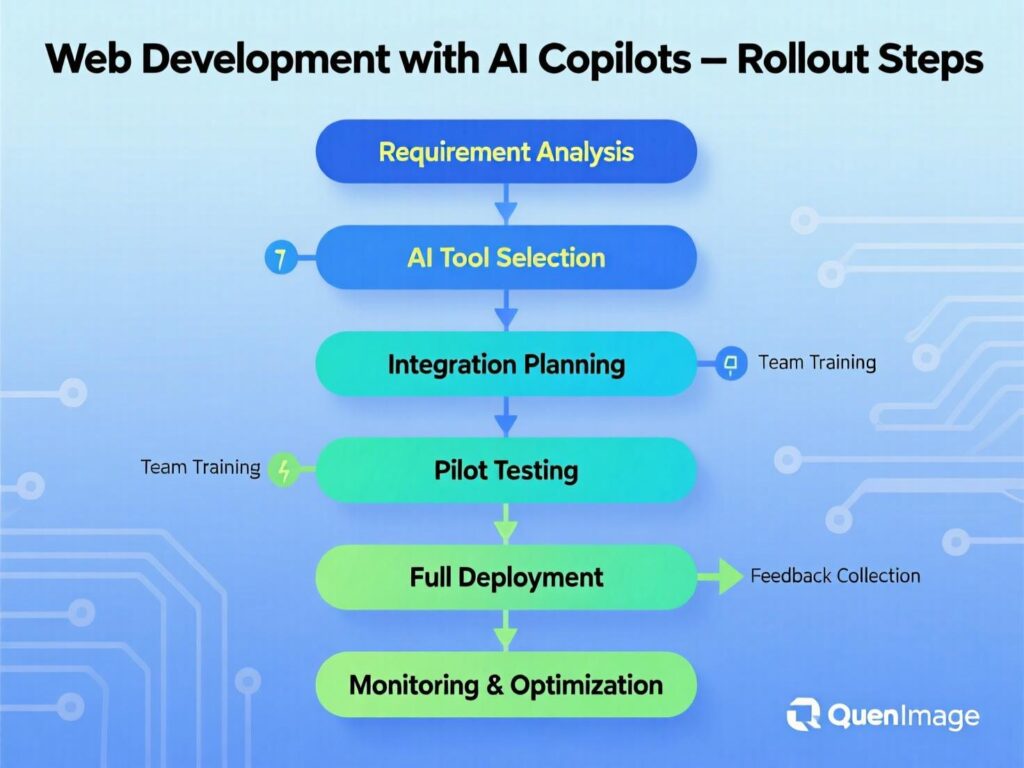
A 5-step rollout plan (your “HowTo”)
Define success
Pick 2–3 metrics (e.g., PRs/week, lead time for changes, escaped defects).
Pilot & guardrails
Small cross-functional squad; create a policy on secrets, licensing, and PII.
Tool fit
Choose 1 IDE copilot and (optionally) 1 builder for experiments; document when to use which.
Prompt patterns & review rules
Standardize prompts (examples below) and require human review with tests.
Measure & scale
Compare baseline vs. 6–8 weeks post-adoption; expand selectively.
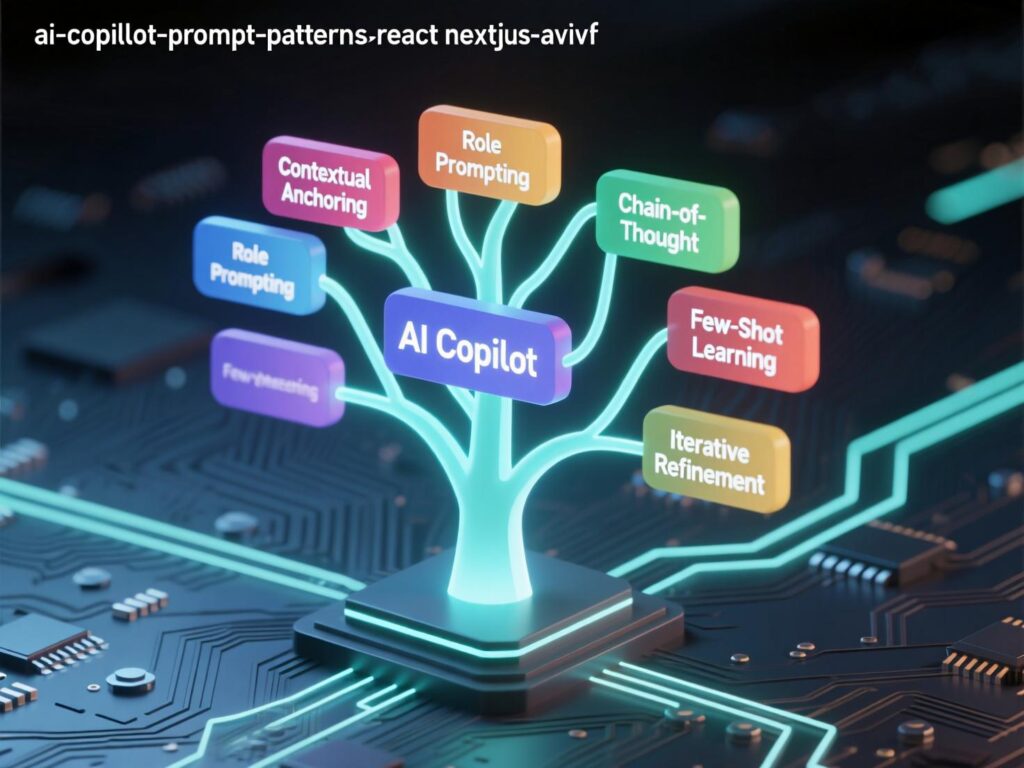
Reusable prompt patterns for web dev
Best practices for Web Development with AI Copilots
Do
-
Keep humans in the loop: enforce code review, run linters/tests, and gate merges with CI.
-
Log model-assisted changes in PR descriptions.
-
Use org-approved models and restrict prompts containing secrets/PII.
-
Prefer retrieval/context (repo, docs, tickets) to reduce hallucinations.
-
Track ROI: baseline → pilot → compare; retire patterns that don’t help.
Don’t
-
Don’t paste secrets into prompts; don’t accept long, unreviewed diffs.
-
Don’t measure success by “% AI-written code.” Focus on lead time, quality, and outcomes.
Case studies (brief)
-
Accenture x GitHub Copilot (enterprise): Field evidence shows teams shipped more PRs/week after adoption, aligning with controlled lab results on task speedups. An MIT Exploration of Generative AIarXiv
-
allpay (financial services): Reported ~10% overall productivity lift with some tasks seeing much larger time savings after rolling out Copilot.
Web Development with AI Copilots is no longer a curiosity it’s a capability you can operationalize. The winners pair strong engineering hygiene (tests, reviews, guardrails) with the right copilot per task: in-IDE for flow, AI-first editors for codebase-aware refactors, and builder-agents for greenfield UX or internal tools. Start small, measure honestly, and scale patterns that prove value. If you adopt a “copilot culture” clear policies, standard prompts, and outcome metrics you’ll ship faster without compromising quality. Ready to turn research into results? Make your pilot plan, choose your tools, and set your baseline today.
CTA: Want a tailored rollout checklist and prompt library for your stack? Get in touch and we’ll map Web Development with AI Copilots to your exact workflows.
FAQs
Q . How do I start using a copilot in VS Code?
A . Install the provider’s extension (e.g., GitHub Copilot or Gemini Code Assist), sign in, enable inline suggestions, and configure repo context. Add policies for secrets and code review. Test on a small feature first.
Q . How does an AI copilot differ from autocomplete?
A . Copilots reason across files and tasks, generating functions, tests, and refactors. Autocomplete only predicts tokens/lines. Copilots can also chat about code and create multi-file changes.
Q . How can teams measure ROI?
A . Measure baseline lead time, PRs/week, review time, and escaped defects. Run a 6–8 week pilot, compare results, and expand where metrics improve.
Q . What are the risks of Web Development with AI Copilots?
A . Risks include leaking secrets in prompts, license ambiguity in generated code, hallucinated logic, and over-reliance. Mitigate with policies, scanners, tests, and review.
Q . Which copilot is best for React/Next.js?
A . Copilot, Cursor, and v0.app are popular. Copilot and Cursor excel in-IDE; v0 is strong for prompt-to-UI prototypes with Tailwind/shadcn.
Q . How do I keep AI from inventing APIs?
A . Constrain context by attaching your OpenAPI/GraphQL schema and docs. Ask for diffs and tests; reject suggestions that don’t compile or pass CI.
Q . How can I use copilots for accessibility?
A . Prompt for WCAG checks, aria attributes, and test plans. Validate with Lighthouse/axe and assistive tech before shipping.
Q . How do copilots handle security?
A . Some copilots (e.g., Amazon Q Developer) include security scans, but teams should still rely on SAST/DAST tools and human code review.
Q . How do I choose between Copilot and Cursor?
A . Choose Copilot for tight IDE integration and broad language coverage. Choose Cursor for AI-native editor features and codebase-aware agents. Many teams use both.
[…] and practices from web development with AI copilots can accelerate delivery while preserving quality and governance; see Mak It Solutions’ guide to […]