


Cloud Cost Optimization
Web applications scale fast and cloud bills often scale faster. The good news: cloud cost optimization doesn’t have to be a quarter-long project. With a focused week (or even a day) you can eliminate waste, right-size what you keep, and lock in discounts for steady workloads without slowing delivery.
Industry data shows managing cloud spend is the top cloud challenge for 84% of organizations (Flexera State of the Cloud 2025), and many teams overshoot budgets by double digits. The upside? Those same reports point to big savings from simple hygiene: cleanups, rightsizing, and better purchasing.
Below is a practical, quick-wins guide tailored to web teams—front-end, back-end, and platform—so you can reduce costs safely, measurably, and fast.
The 80/20 of Cloud Cost Optimization (for Web Teams)
-
Visibility first:
Turn on cost reports, budgets, and anomaly alerts in your cloud console. (AWS: Cost Explorer/Budgets, Trusted Advisor; GCP: Cost Management; Azure: Cost Management + Advisor.) wa.aws.amazon.com+2Google Cloud+2 -
Governance basics:
Enforce tags/labels for owner, env, app, and cost center so you can attribute and act. (FinOps Foundation defines this accountability model.) -
Act in this order:
-
Delete waste → 2) Right-size → 3) Schedule off → 4) Buy discounts → 5) Tune storage & data → 6) Harden autoscaling.
-
Delete the Silent Money Burners (1–3 hours)
Target low-risk deletions first:
-
Detached storage: Unattached EBS/Ephemeral disks, old snapshots; unused Azure Managed Disks; orphaned GCP Persistent Disks.
-
Idle networking: Unused Elastic IPs, load balancers, NAT gateways without traffic.
-
Zombie services: Stopped VMs still billed for storage, abandoned dev/test RGs, old App Service Plans.
Azure calls out “forgotten & orphaned resources” as a significant quick win—make it a weekly habit.
How to ship this week: Create a saved search/report in each cloud. Add a checklist to your sprint retro: “delete or tag before done.”

Right-Size Compute & Databases (½ day)
Most web stacks over-provision CPU/RAM “just in case.” Start with:
-
Web/API nodes:
Drop one size tier and enable autoscaling headroom. -
Databases:
Move from provisioned IOPS/over-sized instances to fit-for-load shapes; turn on storage autoscaling carefully; review read replicas. -
Containers/Kubernetes:
Use VPA to correct requests/limits; ensure HPA and Cluster Autoscaler/Karpenter reclaim freed capacity. (Rightsizing alone doesn’t reduce bills unless the node count shrinks.)
Tooling pointers:
Kubecost, Datadog, or cloud-native cost tools to spotlight over-requests per service/namespace.
Schedule Non-Prod to Sleep (1 hour + cron)
Dev, test, and staging often run 24/7. Turn them off nights & weekends:
-
VM & container schedules: Cloud Scheduler (GCP), Azure Automation/Azure DevOps, EventBridge + Lambda (AWS).
-
DB pause/resume: Use serverless or auto-pause where available; otherwise snapshot → stop.
Teams routinely report 20%+ savings combining budget alerts, month-end reviews, and turn-off schedules.
Buy the Right Discounts Fast (2–4 hours)
For steady, baseline usage, lock in discounts:
-
AWS Savings Plans (or RIs): Use the recommendations based on past usage and buy conservatively (start 1-year, no upfront). Review org- vs account-level strategy for chargeback.
-
GCP Committed Use Discounts and Azure Reservations: begin with your always-on compute/DB/analytics.
-
Use Spot/Preemptible/Low-priority for stateless workers and background jobs; keep production latency-sensitive paths on on-demand + autoscale.
Storage & Data Tuning (2–6 hours)
-
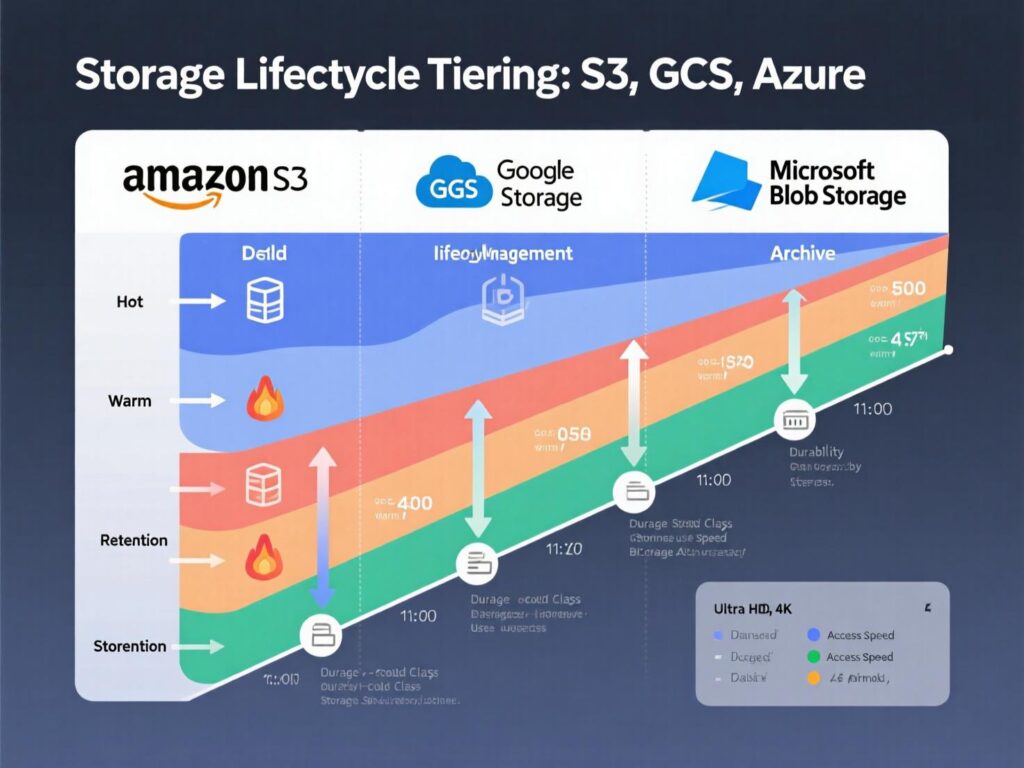
Tiering & lifecycle:
Auto-transition logs, images, and archives to colder tiers (S3 IA/Glacier, GCS Nearline/Archive, Azure Cool/Archive). -
CDN & egress:
Add/expand CDN caching (Cache-Control, immutable assets, image formats like AVIF/WebP) to cut origin egress. -
Logging & metrics:
Control retention (7–30 days by default for dev), sample high-volume logs, and exclude noisy paths. Azure and GCP highlight log optimization as a fast win.
Kubernetes-Aware Cloud Cost Optimization (½–1 day)
If you run K8s for your web tier:
-
Requests/limits fit: Use VPA suggestions to lower requests.
-
Scale pods & nodes: HPA + Cluster Autoscaler/Karpenter to shrink clusters when idle; bin-pack workloads.
-
Spot nodes pools: Mix spot with on-demand and PodDisruptionBudgets for resilience.
-
Cleanup PVs & images: Prune unused PersistentVolumes and large images.
Make FinOps a Team Sport (ongoing, low-friction)
FinOps per the FinOps Foundation creates financial accountability through collaboration between engineering, finance, and business. Put that into practice:
-
Dashboards per squad with cost per service/environment.
-
Budgets & anomaly alerts routed to service owners.
-
Cost reviews in sprint rituals (10 minutes).
-
Runbooks: “When to buy Savings Plans,” “What gets scheduled off,” “How to tag.”
Case Study 1 — Capital One’s Cost Culture (Enterprise)
At re:Invent 2024, Capital One shared how they tightened governance + engineering practices to reduce cost while improving performance emphasizing rightsizing, clear accountability, and automation. The pattern works for web teams of any size: visibility → policy → automation.
Case Study 2 — Kubernetes Cluster, 32% Savings (SaaS)
A mid-size SaaS moved from fixed node groups to autoscaled nodes and implemented VPA + HPA; they also deleted orphaned volumes. Public write-ups show similar tactics: fine-tuning Cluster Autoscaler and aligning rightsizing with node reclamation to realize actual bill reduction.
Advanced (Still Fast) Wins for Web Apps
-
Serverless guardrails:
Cap concurrency; avoid over-provisioned concurrency; batch chatty async tasks. -
DB connection pooling & caching:
Use managed caches (Redis/Memcached) to move reads off expensive DB tiers. -
Image & asset pipelines:
Convert to AVIF/WebP, resize at the edge; shrink origin storage + egress. -
Multi-cloud pragmatism:
Use it when it saves (e.g., cheaper analytics/egress), not just for symmetry. -
Tooling:
Cloud-native consoles plus focused cost platforms (e.g., Ternary for GCP, CloudZero, Datadog, Kubecost) to improve accountability and tuning.
Why This Matters in 2025
Gartner expects end-user cloud spending to reach ~$723B in 2025 cost governance is now a product competency, not just finance. Web teams that operationalize cloud cost optimization gain longer runway and faster iteration.

Outlook
Treat cloud cost optimization like unit tests: small, routine, automated. Start with deletions, right-size and schedule dev/test, then buy measured discounts. Tune storage, CDNs, and Kubernetes autoscaling. Finally, cement it with FinOps practices tags, budgets, and sprint reviews.
Call to action: This week, pick three quick wins (delete waste, right-size two services, buy a small Savings Plan). Set a 30-minute retro to review savings and agree the next three. Then repeat, every sprint.
FAQ
Q1 . How can we find “quick wins” in our cloud bill?
A : Start with orphaned resources (disks, snapshots, unused IPs/LBs), then right-size over-provisioned instances and set off-hours schedules for non-prod. Use built-in cost tools (AWS Cost Explorer, Azure Cost Management, GCP Cost Management) and tag everything to identify owners.
Q2 . How do Savings Plans/Reservations reduce costs without risk?
A : They exchange a commitment for a discount. Start conservatively (1-year, partial/no upfront), cover baseline usage, and revisit monthly. Use provider recommendations and align with chargeback.
Q3 . How can Kubernetes help (or hurt) cloud cost optimization?
A : K8s can hide waste via oversized requests. Combine VPA (requests), HPA (pods), and Cluster Autoscaler/Karpenter (nodes) so rightsizing actually reduces nodes/bill.
Q4 . How do we set budgets and anomaly alerts quickly?
A : Enable budgets and alerts in your cloud billing console; route to service owners. Add anomaly detection to catch spikes early and make it a sprint checklist item. (See FinOps anomaly terminology.)
Q5 . How does storage lifecycle policy save money?
A : Most web apps store logs and media far longer than needed. Add lifecycle rules to auto-tier older objects to cold storage and delete test artifacts cutting storage and egress.
Q6 . How to right-size databases safely?
A : Measure peak usage, enable autoscaling where supported, and test on staging. Reduce provisioned IOPS if overkill, and ensure read replicas are truly needed.
Q7 . How can we optimize CDN to reduce egress?
A : Set long-lived cache headers for versioned assets, compress images (AVIF/WebP), and prefer edge-image transforms. The goal: fewer origin hits.
Q8 . How do we build a FinOps culture in a small team?
A : Publish cost dashboards per service, set budgets/anomalies, and discuss spend in retros. Make owners accountable but supported.
Q9 . How does cloud cost optimization affect performance?
A : Done right, it improves performance by removing noisy neighbors, right-sizing to demand, and enforcing autoscaling. Test before/after to ensure latency budgets hold.
[…] observability and BI tools, similar to how you’d evaluate the impact of a new CI system or cloud cost optimisation initiative. […]
[…] Bringing in a FinOps practice – or partnering with a firm already running FinOps for other clients – is critical once monthly cloud bills cross six figures. For practical guidance on aligning architecture and billing, see Mak It Solutions’ article on Cloud Cost Optimization. makitsol.com […]
[…] Cloud spend optimization (rightsizing, reserved instances, autoscaling, better storage tiers) can fix much of this. But when optimized bills are still high versus a modern on-prem or colocation design, repatriation becomes a legitimate cost strategy especially for US SaaS platforms and EU analytics providers with stable, predictable workloads. For more on immediate optimization levers, your team can cross-check with Mak It Solutions’ own cloud cost optimization guidance. makitsol.com […]
[…] pieces together in web development with AI copilots, serverless architecture use cases and edge vs cloud AI workloads, so you don’t have to reinvent everything […]
[…] and compute so you can scale them independently on AWS S3, Azure Data Lake Storage (ADLS) or Google Cloud Storage […]
[…] economics (cost per customer/journey), rightsizing and committed-use discounts. See Mak It’s own cloud cost optimization guide for quick […]
[…] most effective IT cost optimization strategies in 2025 give CIOs full visibility into where money is going, eliminate waste in cloud, […]