


Human-in-the-Loop AI Workflows That Actually Scale
Human-in-the-Loop AI Workflows That Actually Scale
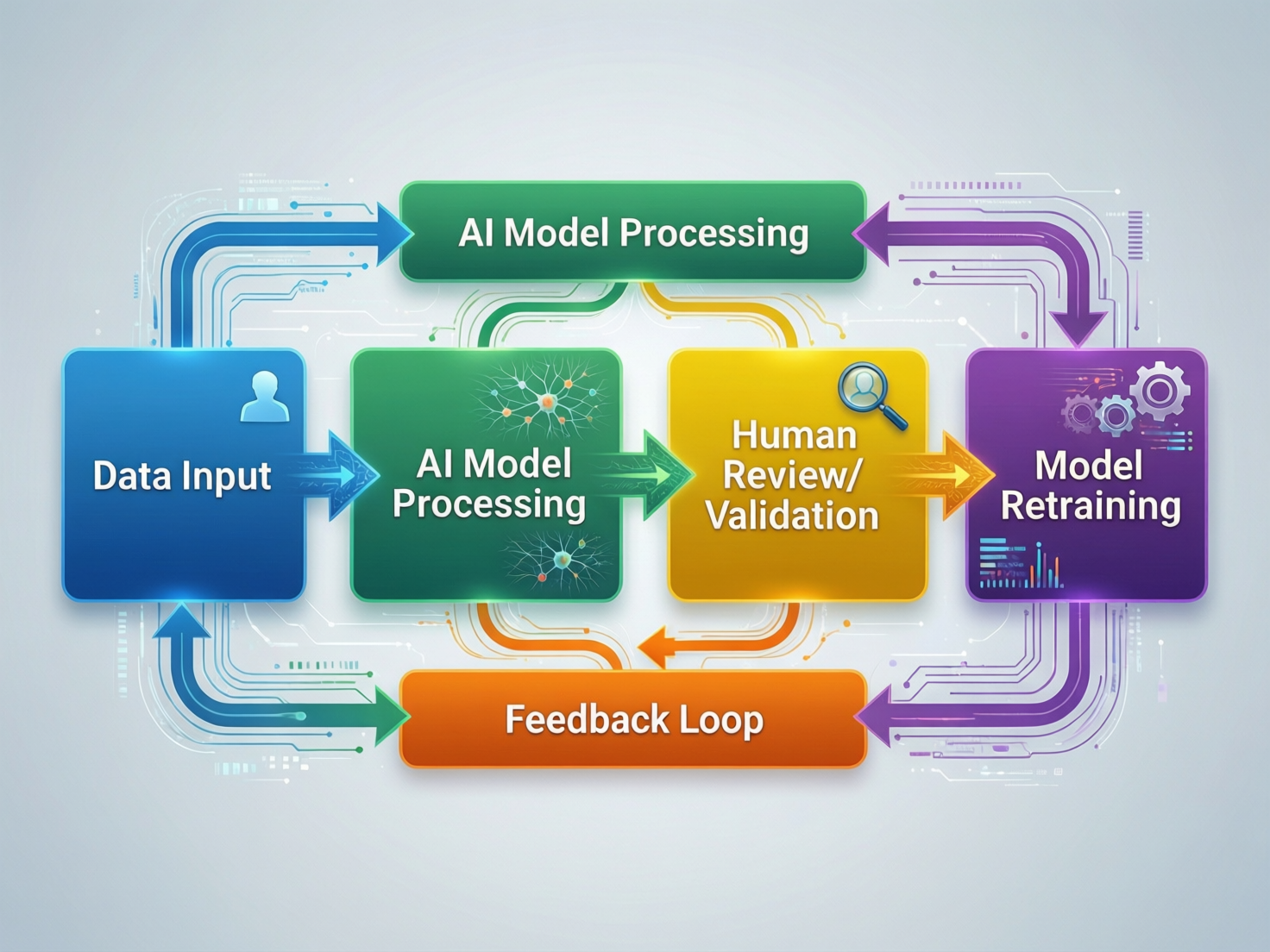
Human-in-the-Loop AI Workflows That Actually Scale
Designing human-in-the-loop AI workflows that actually scale is harder than it looks. Your AI pilot works in the lab, stakeholders are excited, and a small review team “just checks everything.” Then volume spikes, backlogs explode, and suddenly nobody is sure whether AI is saving time or quietly burning out your best people.
The real issue is almost never “the model.” It’s the way human oversight is bolted on as an afterthought instead of being designed as deliberate, risk-aware human–AI collaboration in business workflows.
Human-in-the-loop AI workflows combine automation with deliberate human checkpoints so that people review, correct, or approve AI decisions before they affect customers, money, or safety. These workflows scale when humans only handle ambiguous or high-risk cases, while low-risk decisions flow through fully automated paths with clear SLAs, risk bands, and governance.
Introduction
Your AI pilot looks like a success: the model drafts customer replies, flags fraud risks, or triages documents, and a small review team “just checks everything.” Then volume doubles. Within weeks, your “safety net” becomes a ticket queue nightmare backlogs, stressed reviewers, and leadership asking whether AI is actually saving any time at all.
The root problem is simple: many human-in-the-loop AI workflows are bolted on as a bandaid, not designed as true human–AI systems. Humans end up acting as manual QA for every AI output instead of being reserved for edge cases, judgment calls, and regulatory oversight.
In this guide, we’ll unpack what human-in-the-loop AI workflows really are, how to architect them so they scale, how to adapt them for US, UK, German and wider EU regulations, and a practical roadmap from pilot to production including patterns your team can deploy across contact centers, document processing, security, and more.
What Is a Human-in-the-Loop AI Workflow in Plain Language?
A human-in-the-loop AI workflow is an automated system where AI makes a first decision, but humans are intentionally placed at key steps to review, correct, or approve outputs before they matter in the real world. In other words, AI handles the routine work, but humans stay firmly in charge of the final outcome, especially when risk or ambiguity is high.
In a typical setup, an LLM or ML model proposes an answer (for example, a support reply, a risk score, or a triage label). The workflow then decides, based on risk and confidence, whether to auto-apply that decision, queue it for human review, or escalate it. This pattern shows up everywhere from contact center AI to fraud detection in European banks to AI-assisted medical triage in NHS England-style environments.
Human in the Loop vs. Fully Automated vs. Human in the Lead
To design well, you need clarity on three modes of work:
| Mode | Who leads? | Where it works best |
|---|---|---|
| Human in the lead | Human decides, AI assists | Complex judgment, high-touch B2B, clinical decisions |
| Human in the loop | AI proposes, human approves | High-risk but repeatable workflows (claims, fraud, KYC) |
| Fully automated | AI decides, humans spot-check | Low-risk, high-volume ops (routing, tagging, simple FAQs) |
In many scaled systems, all three modes coexist. For example, a US contact center in New York might fully automate simple password resets, keep humans in the loop for refunds over $500, and leave complex complaints entirely human-led with AI only drafting notes.
Core Benefits: Quality, Trust, and Learning Loops
Done well, human-in-the-loop AI unlocks three big benefits.
Quality & accuracy
Humans catch edge cases, ambiguous intent, or subtle compliance issues that models still miss.
Organizational trust
Stakeholders, regulators, and frontline teams accept AI far faster when they know a human can intervene and overrule.
Active learning feedback loop
Every human decision can be fed back into the training data and rules, improving the model and business logic over time (the active learning feedback loop).
When Human-in-the-Loop AI Is Non-Negotiable
You can skip humans for low-risk use cases like internal tagging, but there are domains where human oversight is effectively mandatory.
Healthcare triage and diagnosis support (for example, NHS triage or AI-assisted ED prioritization)
Financial decisions: lending, credit scoring, fraud, trading
Identity verification and KYC/AML
Hiring and promotion workflows
Safety-critical infrastructure and Industry 4.0 manufacturing controls
Under the emerging EU AI Act, many of these count as “high-risk AI systems,” which must include effective human oversight and clear accountability.
Anatomy of a Human-in-the-Loop AI Workflow
Models, Orchestrators, Queues, and Review UIs
At system level, most human-in-the-loop workflows share the same building blocks.
Models
LLMs and ML models running on AWS, Microsoft Azure or Google Cloud regions aligned to your data residency needs.
Workflow orchestrator
The “brain” that routes work based on confidence, rules, and risk (could be a BPM engine, iPaaS tool, or custom microservice).
Queues
Separate review queues per risk level or domain (for example, “payments fraud EU,” “claims US,” “NHS triage shadow mode”).
Review UI
Purpose-built interfaces where reviewers see AI output, raw evidence, and previous history and can approve, edit, or escalate quickly.
Approvers, Labelers, Escalation Owners, Auditors
Well-run teams don’t just say “a human will check.” They define clear roles.
Approvers Make go/no-go decisions on AI outputs in production.
Labelers Curate training data and evaluate model performance.
Escalation owners Handle red-band cases, often from legal, risk, or clinical leadership.
Auditors Periodically review samples for compliance, bias, and drift.
A key distinction.
Human in the loop = interacts with individual decisions.
Human accountable for the loop = ultimately responsible for the workflow design, metrics, and governance.
You’ll often see a risk, compliance, or clinical safety lead act as “human accountable for the loop” in UK health providers, German BaFin-regulated banks, or FCA-regulated UK fintechs.
Signals That Trigger Human Review
AI should hand over to humans when confidence is low, risk is high, or regulations require human oversight. That usually means combining:
Model confidence for example, below 0.7 certainty on a classification.
Business rules thresholds like transaction size, geography, or product type.
Risk scores fraud risk, credit risk, clinical risk, and so on.
Random sampling to guard against silent model drift.
Customer-initiated review “appeal” or “speak to a human” paths.
Explicitly codifying these signals in your orchestrator is what turns “we’ll have humans double-check” into a real AI exception handling and review policy.
Scalable Human-in-the-Loop AI Workflow Patterns
Human-in-the-loop AI scales when humans handle only the truly ambiguous or high-risk cases, while clear, low-risk work stays fully automated. The patterns below help you avoid turning your reviewers into yet another overloaded support queue.
Confidence Band Routing: Green, Amber, Red Lanes
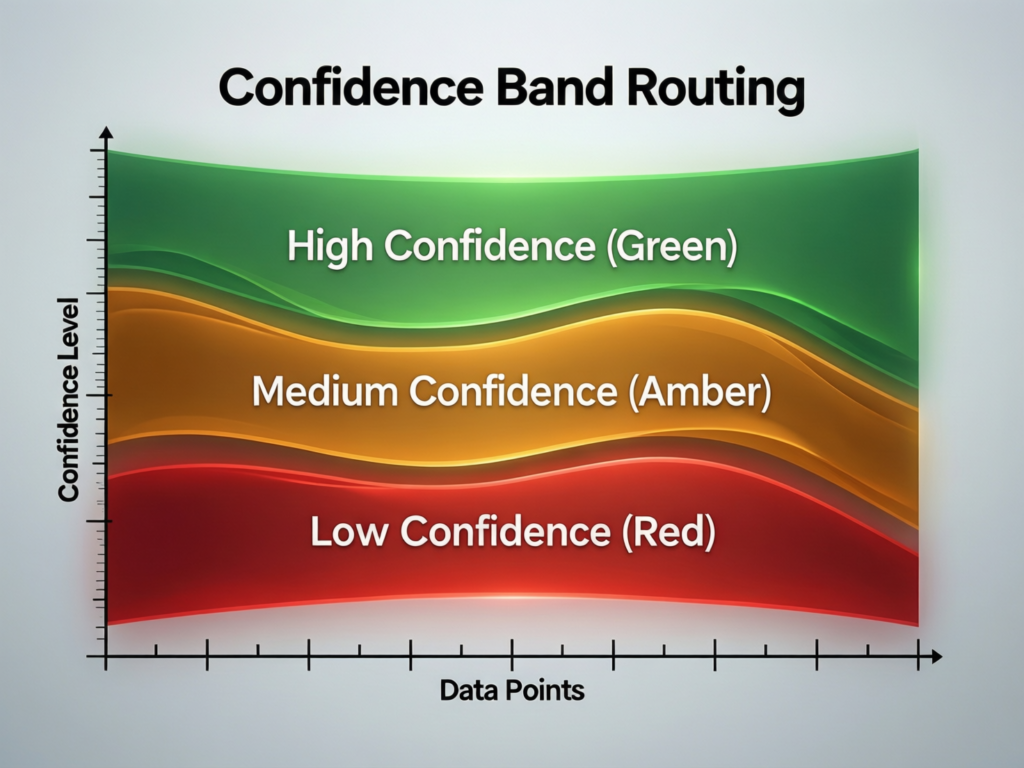
A proven pattern is to route every AI decision into green, amber, or red lanes.
Green (low-risk, high confidence) Auto-approve, with light sampling.
Amber (medium-risk or uncertain) Route into human review queues with clear SLAs.
Red (high-risk or policy-breaking) Block, escalate, or require dual control.
Thresholds should vary by country and vertical. For example:
A US contact center AI flow in New York might auto-approve refunds under $50 but send high-value disputes to humans.
A London-based open-banking journey under the UK’s Financial Conduct Authority will use stricter red-band rules for payment initiation and consent.
A Berlin or Frankfurt-based bank supervised by BaFin may require human approval for model-driven credit limit reductions to align with discrimination and explainability expectations.
Batch Review, Sampling, and Shadow Mode
Three levers keep human workload predictable.
Batched review
Group similar cases for quicker pattern recognition (for example, 20 similar KYC flags at once instead of one by one).
Statistical sampling
For green-band flows, review only a percentage of decisions, with higher sampling of risky segments.
Shadow mode
Before go-live, run AI in parallel: humans continue to decide, but AI outputs are captured and compared. This lets you calibrate confidence bands, train models, and quantify error rates without impacting users.
With adoption of AI in contact centers accelerating, recent industry research puts the global call center AI market at roughly $2.1B in 2024, with high-teens compound annual growth projected into the early 2030s. These patterns are becoming standard in high-volume customer support operations.
Playbooks for US, UK, and German/EU Workflows
US (New York, Austin, SF)
Focus on throughput, SLAs, and customer satisfaction. Common HITL patterns in claims ops, healthcare RCM and HIPAA-sensitive flows, and omnichannel support.
UK (London, Manchester, NHS)
HITL is tightly coupled to clinical safety cases, NHS AI governance, and financial conduct rules. For NHS triage or local government approvals, human oversight is a design-time requirement, not an afterthought.
Germany/EU (Berlin, Frankfurt, wider EU)
Strong expectations around explainability, DSGVO/GDPR, and the EU AI Act’s high-risk categories. German banks and manufacturers increasingly pair AI with human supervisors to stay within BaFin and EU guidance.
Why So Many Human-in-the-Loop Designs Fail to Scale
The “Ticket Queue Trap” and Reviewer Burnout
The classic failure mode: everything that touches AI gets turned into a ticket. Reviewers become full-time QA for the model, handling 100% of cases instead of the riskiest 10–20%.
Symptoms include:
Growing backlog and missed SLAs
Rising handle times as reviewers context-switch
Increasing error variance because tired humans rubber-stamp AI outputs
This is exactly what happens when teams skip architecture patterns like confidence bands, sampling, and shadow mode, and just say “if AI is involved, it needs a human.”
Missing SLAs, Capacity Planning, and Load Shedding
If you can’t forecast review volume, you can’t scale human-in-the-loop AI. You need:
Workload models
Expected cases per risk band per region (US vs UK vs EU)
Staffing plans
How many L1 vs L2 reviewers you need per queue and per shift.
Load shedding rules
What you stop reviewing or only sample when volumes spike.
Without these, a new AI feature can quietly overload your NHS triage nurses, Berlin fraud team, or London underwriting desk.
No Ownership, No Audit Trail, No Feedback Loop
Even sophisticated organizations trip over governance.
No clear owner for the workflow
Human overrides not logged or explainable
No stable pipeline from human feedback into retraining or rule updates
Over time, this undermines both human oversight in AI decision-making and regulatory trust, especially under GDPR/UK-GDPR and financial conduct rules.
Designing Review Queues, SLAs, and Exception Handling
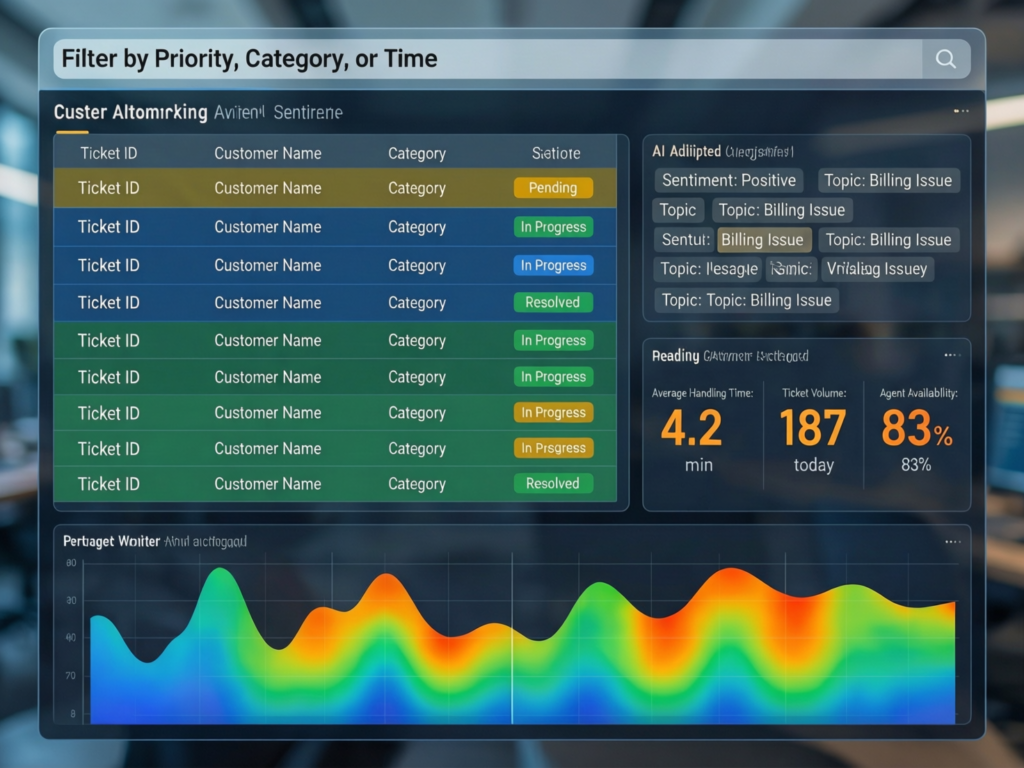
A scalable human-in-the-loop review queue routes only risky work to humans, sets strict SLAs per queue, and continuously trims low-value checks. That means getting very explicit about risk levels, turnaround times, and what happens when something doesn’t fit the normal path.
Mapping Risk Levels to Queue Types and Turnaround Times
Start with a simple four-tier framework.
Low
Fully automated, with light sampling. SLA measured in bulk (for example, 95% processed within 5 minutes).
Medium
L1 human review, batched. For example, 4-hour SLA for back-office indexing or claims enrichment.
High
Dedicated queue, senior reviewers. For example, 5–15 minute SLA for payments fraud or suspicious login flows.
Critical
Dual control, on-call escalation. For example, life-threatening clinical triage or very large wire transfers.
A US payments team might set a 5-minute SLA for fraud decisions, while an EU document indexing team is comfortable with 24 hours for medium-risk metadata fixes. Benchmarks will vary, but as AI spreads—recent US survey data suggests that a large majority of contact center decision-makers already use or plan to use AI for agent assistance teams that map risk to SLAs explicitly are the ones that avoid chaos.
Designing Exception and Escalation Paths
Every workflow needs a clear “what happens when this isn’t normal” path:
AI output generated Model prediction + confidence + risk band.
L1 reviewer Approves, edits, or flags as exception.
Specialist or L2 Domain experts (legal, risk, clinical, senior ops).
Policy/Legal Only for truly critical or novel scenarios.
Crucially, every resolved exception should flow back into:
Updated business rules or thresholds
Retraining data for the model
Knowledge base and playbooks for reviewers
This is where approval workflows for AI-generated outputs turn into a living system rather than a static checklist.
Metrics That Matter: Accuracy, Throughput, and Human Effort
To keep HITL sustainable, track a small, sharp KPI set.
% auto-approved by band (green vs amber vs red)
Review rate by risk band and region
Rework rate how often humans reverse AI decisions
Time-to-decision per queue and region
Human effort per case time per review and per escalated case
US teams might initially aim for 30–40% auto-approval in customer support, while more conservative UK/EU teams start lower and ramp as regulators and internal risk teams gain confidence.
Tooling & Platforms for Human-in-the-Loop AI Workflows
Workflow Orchestrators, Review UIs, and Labeling Tools
Most teams already have workflow engines (for example, CRM, ITSM, RPA, custom microservices). The question is whether to.
Extend what you have
Add AI routing and review panels into your existing CRM or ticketing system.
Adopt specialized HITL platforms
Tools focused on labeling, review, and active learning for LLMs and ML.
Hybrid
Central orchestrator with pluggable review UIs per function.
Integration points usually include.
CRM/service tools (for contact center AI)
Core banking or policy admin systems
Data warehouses/lakehouses for analytics and model training
If you’re already working with Apple-level UX expectations from your customers, investing in a clean, fast review UI is not optional.
Document Processing, Contact Center, and Security Use Cases
Common starting points.
Document verification and onboarding
IDs, contracts, KYC packages for EU AI Act high-risk systems.
Claims and back-office operations
AI pre-populates fields; humans verify only complex or high-value cases.
Contact center AI
Draft replies, summaries, and next-best actions with humans in the loop for tone and edge cases.
Security & SOC workflows
AI clusters alerts; analysts review high-risk clusters instead of individual events.
Cloud, Data Residency, and Integration in US/UK/EU
For US/EU organizations, cloud choice directly affects design.
Keep data for EU customers in EU regions of your chosen cloud.
Avoid unnecessary cross-border transfers for health, financial, or identity data.
Align with GDPR/DSGVO, UK-GDPR, HIPAA, PCI DSS and SOC 2 expectations on logging, retention, and encryption.
Mak It Solutions often pairs this with robust analytics and governance layers see our articles on AI and ethics and our broader AI explainers to help teams interpret model behaviour over time and design the right NIST-style risk management controls.
Human-in-the-Loop AI for Risk, Compliance, and Governance in US/UK/Germany/EU
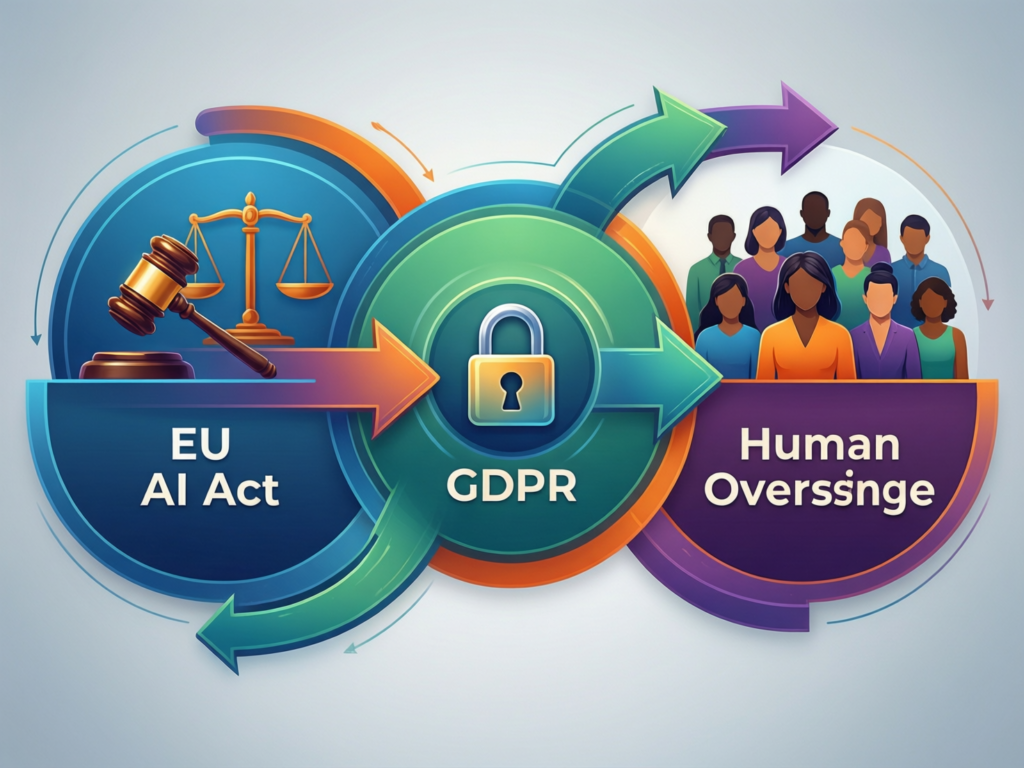
High-risk AI systems still need humans in the loop to satisfy regulations that require meaningful human oversight, documented accountability, and appeal paths. In regulated sectors, “we let the model decide” is never enough; you need evidence of who checked what, when, and why.
(This overview is for general information only and is not legal advice. For specific regulatory obligations, always consult your legal and compliance teams.)
Where Human Oversight Is Mandated or Strongly Expected
Key regimes point in the same direction.
EU AI Act
High-risk systems must enable effective human oversight, including the ability to intervene and override.
GDPR / DSGVO & UK-GDPR
Automated decision-making that has legal or similarly significant effects often requires human review and an appeal path.
US healthcare (HIPAA)
Strong safeguards and audit trails are required wherever AI touches protected health information.
Payments and cards (PCI DSS)
Controls and logs around cardholder data and decisions must meet global standards.
Designing Audit Trails and Attestable Oversight
Your audit log should be able to answer, for any decision:
Which model and version ran?
What input and context did it see?
What output did it propose?
Which human reviewed it (if any)?
What decision was taken and why (short rationale)?
These logs feed internal audit, regulators, and security teams and they’re also gold for model evaluation and retraining.
Aligning Policies Across the US, UK, and Germany/EU
Multi-region organizations often adopt a “global baseline + regional add-ons” pattern.
Global standards for explainability, logging, and HITL design.
EU add-ons for consent, data minimization, and high-risk AI documentation.
UK-specific guidance aligned to NHS and UK government AI playbooks.
US-specific controls for HIPAA, SOC 2, and sector guidance.
One practical rule: if any region requires human in the loop for a use case (for example, automated loan denials), design for that as the default and only relax to human-in-the-lead or sampling in low-risk sub-flows.
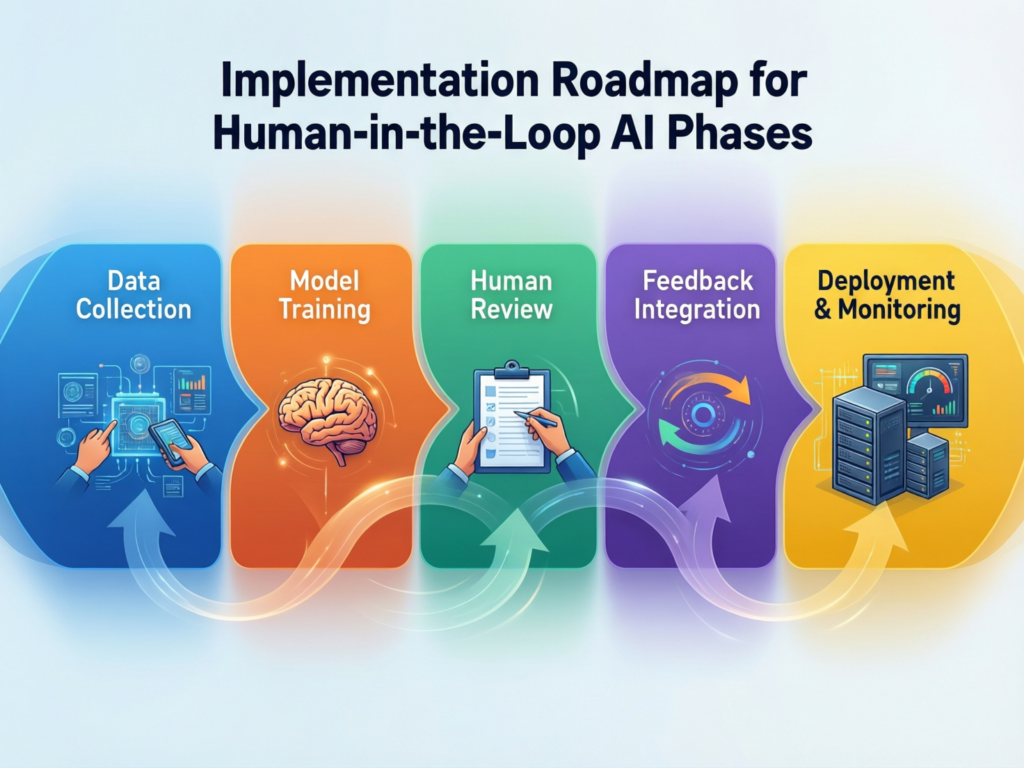
From Pilot to Production-Scale Human-in-the-Loop AI
Identify High-Value, High-Risk Candidate Workflows
Start by mapping candidate workflows across US, UK, and German/EU operations:
Where are decisions frequent, expensive, and error-prone?
Where are you under regulatory pressure (EU AI Act, BaFin, FCA, HIPAA, PCI DSS, NHS governance)
Where would a 30–50% reduction in manual effort free teams significantly?
Customer support in the US, NHS-adjacent triage in the UK, and credit or fraud decisions in Frankfurt-based banks are common first candidates.
Design, Shadow, and Calibrate the Loop
Next, design the loop before you switch it on:
Define confidence bands, risk levels, and region-specific thresholds.
Instrument logging from day one (inputs, outputs, human decisions).
Run shadow mode with humans fully in control while AI proposes decisions.
Calibrate thresholds until you’re comfortable with error rates and reviewer load.
This is also a great moment to review your broader digital foundation web platforms, data pipelines, and analytics so AI doesn’t sit on an island. If you’re modernizing your stack, parallel work on your web presence or analytics layer (for example, via Mak It Solutions’ Webflow, Wix or BI services) can de-risk the rollout.
Scale, Optimize, and Operationalize Governance
Finally, scale up
Roll out across lines of business and regions in waves.
Continuously tune thresholds, SLAs, sampling rates, and staffing based on real metrics.
Embed governance in BAU: regular audits, model reviews, and policy refreshes.
At this stage, many teams extend human-in-the-loop principles into broader digital programs aligning AI workflows with upgraded web applications, new customer portals, or analytics dashboards. This is where partners like Mak It Solutions can help you connect AI workflows with robust web development, data, and integration layers.
Concluding Remarks
Well-designed human-in-the-loop AI workflows don’t slow you down; they let you scale automation safely, keep regulators onside, and build genuine trust with customers and employees. The difference between a ticket-queue nightmare and a competitive advantage is the architecture: confidence bands, clear SLAs, strong audit trails, and geo-aware governance.
For teams across the US, UK, Germany, and the wider EU, now is the moment to move from ad-hoc “humans checking AI” to deliberate, compliant, and scalable human AI collaboration.
If you’re staring at growing AI volumes and a tired review team, you don’t need another tool you need a better workflow design. The team at Mak It Solutions helps US, UK, German and EU organizations design and implement scalable human-in-the-loop AI, from discovery and architecture through to web, mobile, and data integration.
Share one or two of your candidate workflows with us, and we’ll map out a practical, region-aware blueprint: risk bands, review queues, SLAs, and governance patterns you can actually ship in your current stack.( Click Here’s )
FAQs
Q : Can you retrofit human-in-the-loop AI into existing RPA or workflow automation systems?
A : Yes most organizations retrofit human-in-the-loop AI into existing CRMs, RPA bots, and workflow tools rather than starting from scratch. The key is to treat AI as another decision step in your process model, with explicit rules for when humans must review, override, or escalate. In practice, this means adding confidence bands, review queues, and audit logging into the existing flows instead of building a separate “AI island” that no one can govern.
Q : How many human reviewers do we typically need to support a production HITL AI workflow?
A : Team size depends on volume, risk mix, and SLA. For many production workflows, 5–20 dedicated L1 reviewers plus a smaller group of L2 specialists is enough to oversee tens of thousands of decisions per day, as long as you aggressively auto-approve low-risk cases. The right approach is to model expected volumes by risk band, set target auto-approval rates, and then back into staffing needs treating reviewers like a constrained, strategic resource rather than unlimited capacity.
Q : What data should we collect from human reviewers to continuously improve our AI models?
A : At minimum, capture whether the reviewer approved, edited, or rejected the AI output, along with the corrected answer and a short reason code. Over time, you can add richer signals like tags for edge-case types, references to policies, or links to knowledge-base articles. This labeled data helps you retrain models, refine business rules, and spot systematic issues for example, a specific prompt style that regularly confuses German-language claims or a certain customer segment that triggers more escalations.
Q : How do human-in-the-loop AI workflows affect end-user experience and waiting times?
A : When designed well, HITL AI should reduce waiting times for the majority of users by automating straightforward cases and reserving humans for complex or high-risk scenarios. Customers in green bands get faster answers, while those in amber or red bands may wait slightly longer for a higher-quality decision. The trick is to align SLAs to risk: fraud decisions and urgent triage get tight human-review SLAs, whereas low-risk indexing or back-office tasks can tolerate longer turnaround without hurting user experience.
Q : What’s the difference between human-in-the-loop AI and traditional quality assurance teams?
A : Traditional QA teams often review work after the fact sampling calls or tickets for training and compliance. Human-in-the-loop AI, by contrast, moves humans into the live decision path, where they can approve, correct, or block AI outputs before they impact customers or regulators. You may still run classic QA sampling on top, but HITL workflows give humans real-time control and a structured way to feed their decisions back into models and rules, closing the loop between operations, quality, and learning.