


Incident response plan template for small businesses (Free)
Incident response plan template for small businesses (Free)
Incident response plan template for small businesses (Free)
An incident response plan template for small businesses is a pre-structured document that helps you prepare for, detect, contain, and recover from cyber incidents like ransomware, inbox compromise, or stolen devices. The template below ships with an editable DOCX plan, a simple PDF checklist, and example runbooks so SMEs can coordinate people, systems, and communications quickly even without a dedicated security team. It gives you a practical starting point that you can adapt to your own tools, staff, and regulatory environment.
Introduction
Very small companies are now regular targets for ransomware, business email compromise, and SaaS account takeovers. Recent reports suggest that around half of UK businesses experience some form of cyber attack each year, and a significant share of those incidents hit small and mid-sized firms.
When a breach hits a retail store in New York City, a marketing agency in London, or a SaaS startup in Berlin, the first 30–60 minutes often decide how bad the damage becomes. A simple, written incident response plan and runbook turns panic into a checklist: who leads, what to shut down, who to notify, and what evidence to preserve.
This guide gives you exactly that: a plain-language, downloadable incident response plan template for small businesses, plus an example runbook structure that works even if you don’t have a security team. You can adapt it for different regions (United States, United Kingdom, Germany, and wider EU/EEA), local privacy rules, sector regulations, and your cyber insurance policy.
Incident response plan templates for small businesses the basics
What is an incident response runbook for small businesses?
An incident response runbook for small businesses is a step-by-step guide your team follows when something goes wrong, like suspected ransomware, a compromised inbox, or a lost laptop. It turns your high-level incident response plan into clear “if X happens, then do Y” instructions for specific scenarios. A good runbook spells out who does what, in what order, which tools they use, and when to escalate or call in outside help. For SMEs, it’s usually a few concise pages per scenario, not a thick manual nobody reads.
In practice, your runbook might have separate pages for things like.
Ransomware on file server
Compromised email account
Suspicious cloud login
Stolen device
Each follows the same structure so staff recognise the pattern even when stressed.
What is a small business incident response plan?
A small business incident response plan is the overarching document that explains why and how your organisation prepares for and handles security incidents. It covers goals (limit damage, protect customers, stay compliant), scope (which systems and data), and the process your team follows when something suspicious happens.
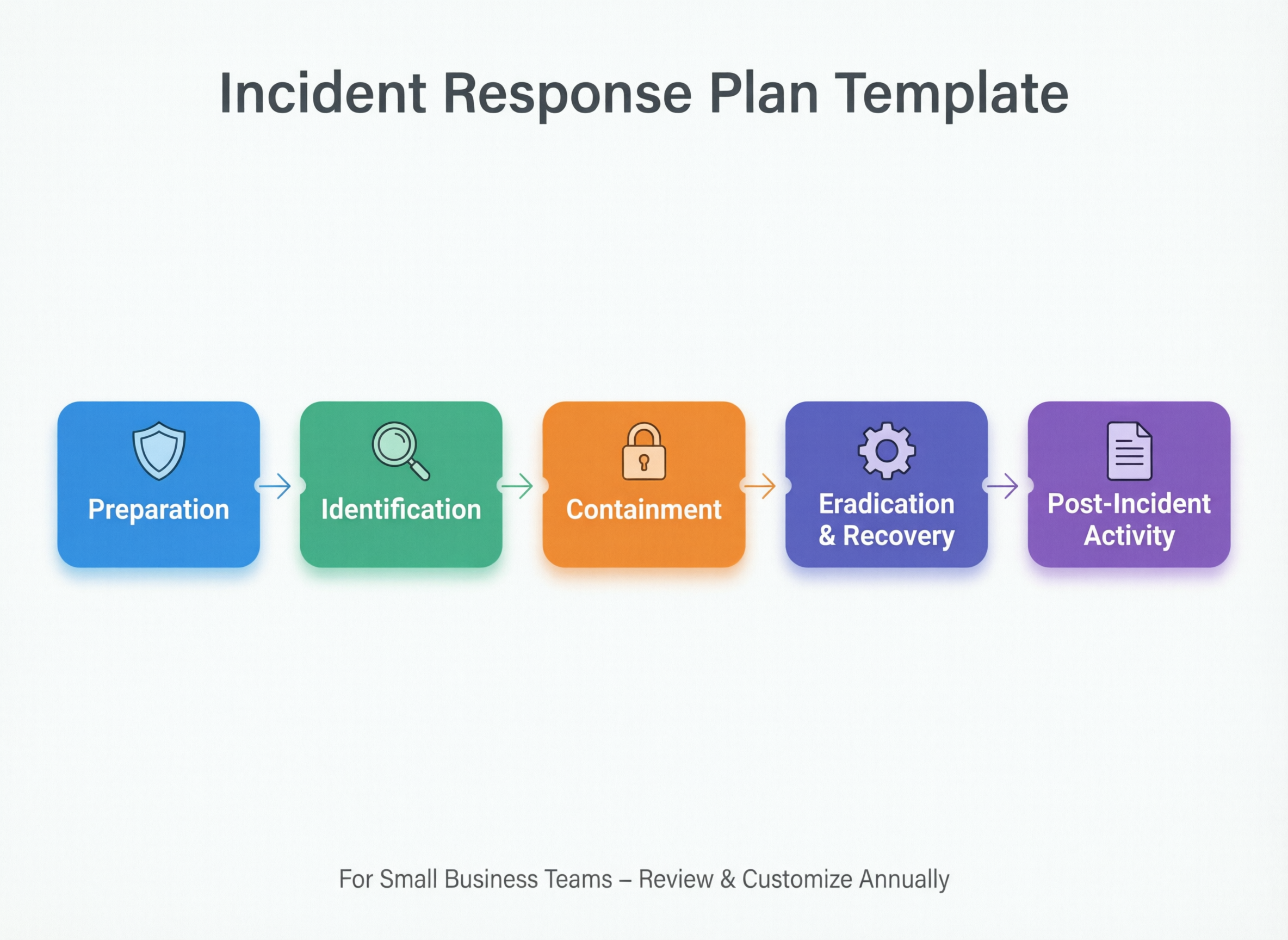
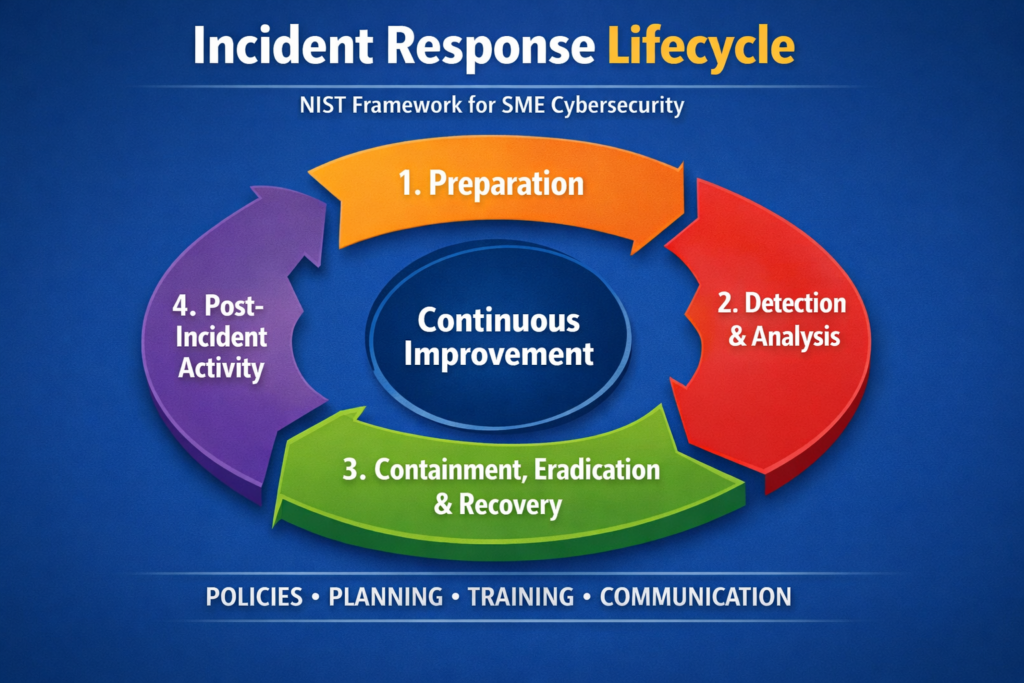
Most modern plans follow the security incident response lifecycle popularised by NIST: prepare, detect and analyse, contain, eradicate, recover, and post-incident lessons learned. In the template, each of these phases appears as a clearly labelled section with checklists and fields, for example:
Prepare: risk overview, critical systems list, backups, contact details
Detect & Analyse: how to recognise incidents, who triages alerts
Contain: short-term actions to stop spread (e.g., disable accounts, isolate devices)
Eradicate: removing malware, closing vulnerabilities, rotating credentials
Recover: restoring services from backup, validating data integrity
Lessons learned: short review workshop and updates to controls
Why do small businesses need a written cyber incident response plan even if they outsource IT?
Small businesses still need a written incident response plan even when an MSP or IT provider looks after day-to-day technology. Only the business can decide which systems are critical, who can approve downtime, and how to communicate with customers and regulators. Your plan tells external partners who to call, what evidence to collect, and how to authorise actions like shutting down point-of-sale systems or cloud environments.
It also helps you meet obligations that sit with the business, not the vendor: breach notification under GDPR/UK-GDPR, sector rules for finance or healthcare, and commitments in contracts or SLAs. Without a plan, everyone improvises under pressure, which typically slows response, increases legal risk, and drives up the cost of recovery. Average breach costs for organisations are now estimated in the multi-million-dollar range painful even when you’re much smaller.
What should an SME incident response plan template include by default?
Core sections your SME incident response plan template should have
An SME incident response plan template should open with scope, goals, and a simple risk overview, then walk through each phase of the incident response lifecycle. It should include an incident severity matrix, a list of critical systems, and contact details for key internal and external roles. It also needs a step-by-step process for detecting, containing, eradicating, and recovering from incidents, plus sections for evidence collection, communications, and post-incident review. The most usable templates rely on tables and checklists instead of long paragraphs.
In the Mak It Solutions version, the default sections look like this:
Cover page & document control: version, owner, last review date
Scope & objectives: what counts as an incident, what success looks like
Risk snapshot: top 5–10 threats for your business (e.g., BEC, lost device)
Severity matrix: how you rate impact/urgency and who must be involved
Lifecycle steps: prepare, detect, contain, eradicate, recover, lessons learned
Contacts: on-call staff, MSP, cloud vendors, legal, regulator, insurer
Runbook index: links to scenario-specific procedures
This structure makes the template usable for very small teams while still being detailed enough for SMEs with multiple offices or cloud environments.
Roles, responsibilities and your incident response team
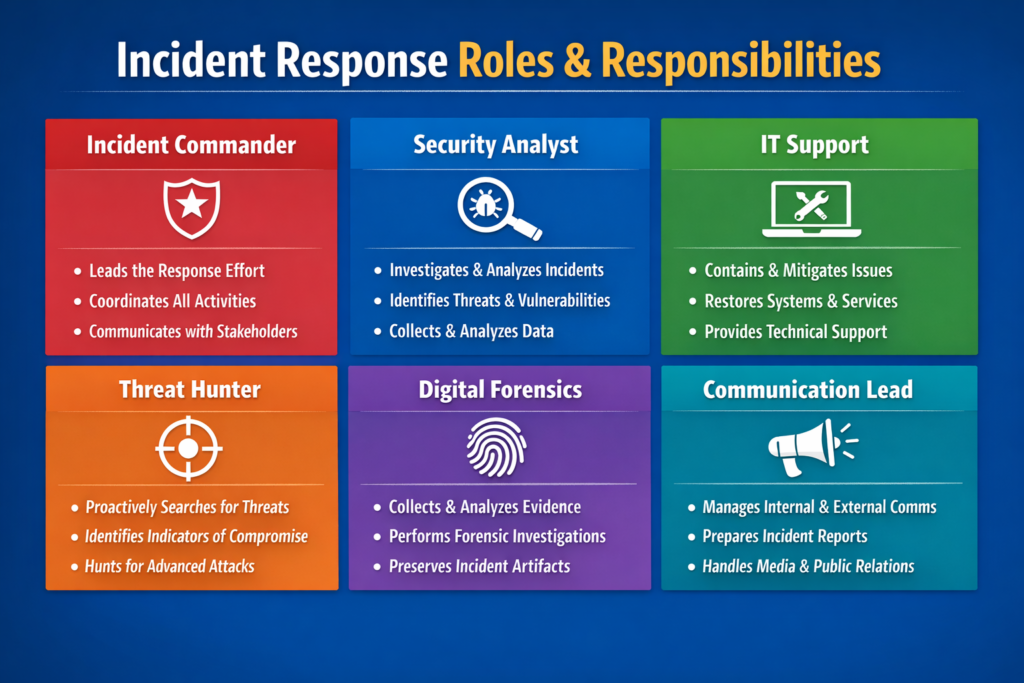
Even a five-person company can define an incident response team in plain language. At minimum, your plan should map roles to real people:
Incident lead: overall coordinator and decision-maker (often the founder or COO)
Technical lead: handles systems, logs, backups; could be internal IT or MSP
Communications/PR: drafts customer updates, social posts, press lines
Legal/compliance: checks breach definitions, notification timelines, contracts
Business owner(s): sign off on big decisions like paying for emergency support
In very small teams, the same person can wear several hats, but the roles are still listed so everyone knows which decisions they’re making. The template includes a table for primary and deputy contacts, on-call numbers, and escalation paths (for example, when to call your cyber insurer or external legal counsel).
For a clinic working with NHS contracts, or a fintech startup integrating Open Banking APIs, these roles might include a named data protection contact or compliance officer to reflect their obligations.
Communications, notifications and record-keeping
A simple cyber incident communications plan tells you who to inform, when, and with what message. For a small ecommerce brand in France or a logistics SME in the Netherlands, the template should cover:
Internal updates: how often the incident lead updates leadership and staff
Customer notices: email templates, website banners, or in-app messages
Partners and suppliers: which integrations or resellers must be warned
Regulators and authorities: supervisory authority, law enforcement, sector bodies
Under GDPR, organisations usually must notify the relevant supervisory authority of qualifying personal data breaches within 72 hours of becoming aware of them, or explain any delay. Your template should point to a “breach notification checklist” that captures timeline, decisions, and evidence for audits, insurance claims, or legal review.
Record-keeping doesn’t have to be complex: a simple log of “what we knew, when, what we did, and why” is often enough to show regulators, insurers, or boards that you acted responsibly.
Download your incident response plan template (DOCX, PDF & runbook checklist)
What you get in this incident response plan template for small businesses
When you download this package from Mak It Solutions, you get three main components designed for organisations up to roughly 250 employees:
Main incident response plan (DOCX / Google Docs): fully editable, with prompts rather than jargon.
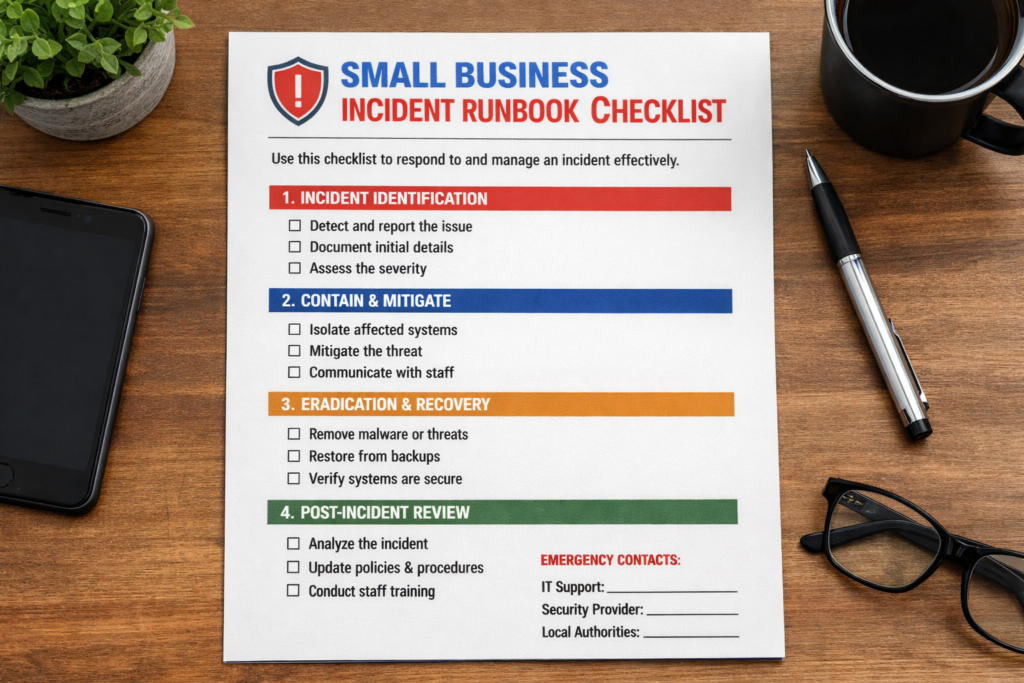
Printable incident response checklist (PDF): one-page quick view for non-technical leaders.
Example runbook/playbook bundle: sample scenarios covering:
Ransomware on a file server
Compromised email account (business email compromise)
Stolen or lost laptop/phone
Suspicious login to a cloud app (e.g., CRM, HR, accounting)
Website defacement or outage
Fields are pre-structured for SMEs, with hints like “Who can approve taking this system offline?” instead of abstract policy language.
How to use this template in the first 30–60 minutes
You don’t need a workshop to get started—just block one hour.
Fill in contacts: list your incident lead, technical lead, deputies, MSP, insurer, and legal contacts.
List critical systems: payment gateway, website, email, CRM, EHR, or core SaaS apps.
Confirm communication channels: which Slack/Teams channels, email groups, or phone trees you’ll use in an incident.
Tag likely scenarios: choose 3–4 of the most realistic incidents for your business (e.g., invoice fraud, inbox takeover)
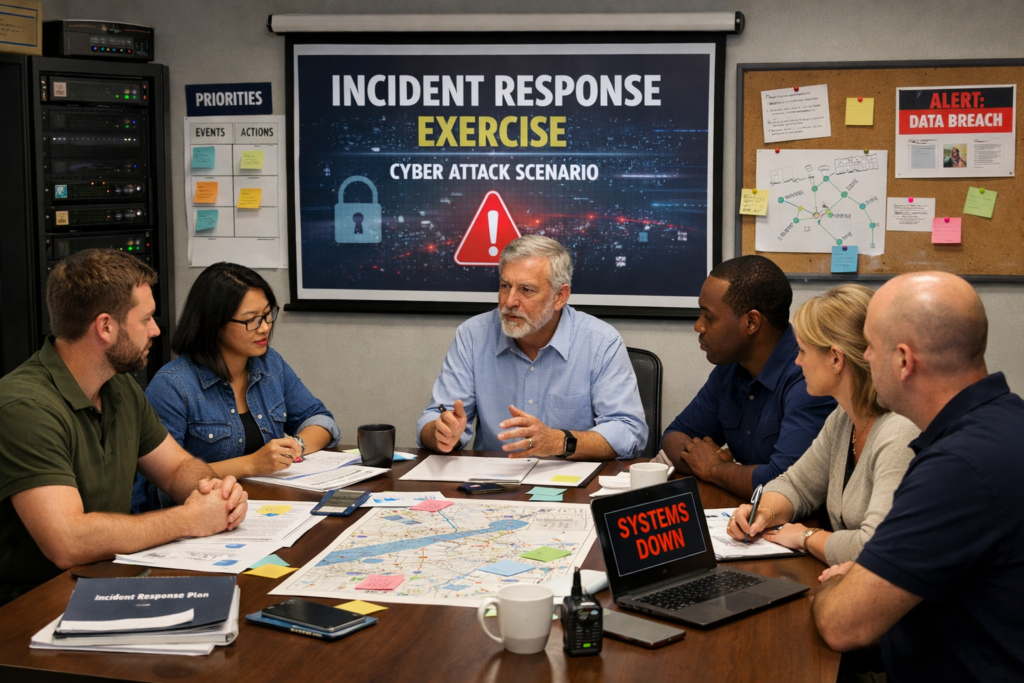
Then run a quick “tabletop” walk-through with the owner, a manager, and your IT partner. For example, imagine that your London-based creative agency spots suspicious logins to its project management SaaS, or your New York City dental clinic discovers encrypted files on its server. Walk through the plan and note where assumptions, missing contacts, or unclear steps slow you down.
Example incident scenarios included in the runbook
The bundled runbook uses a consistent structure prepare, detect, contain, eradicate, recover, lessons learned for each scenario so your team sees the same pattern every time:
Ransomware on a file server: isolate affected machines, verify backup health, plan phased restoration.
Compromised email account: reset credentials, check forwarding rules, scan for fraudulent emails, notify affected customers.
Stolen device: remotely wipe, revoke sessions, review logs for data access.
Suspicious login to cloud apps: enforce MFA, reset tokens, investigate access patterns, coordinate with the vendor.
Website defacement/outage: switch to a maintenance page, involve hosting provider, validate integrity before going live.
Studies show that organisations that respond slowly to email-related breaches have a dramatically higher chance of also suffering ransomware, which makes having these scenario playbooks invaluable.
From plan to incident response runbook making it actionable
What is the difference between an incident response plan and an incident response runbook for SMEs?
An incident response plan is the high-level framework that explains how your business prepares for and manages cyber incidents, while a runbook is the detailed script for a specific type of incident. Think of the plan as policy and process, and the runbook as the 2 a.m. checklist your team follows when an alert fires.
Most SMEs will have one core plan but several runbooks: ransomware, email compromise, payment system outage, lost laptop, and so on. The template is structured so both documents reference each other: the plan lists available runbooks; each runbook points back to roles, contacts, and definitions in the plan.
How can a small business customise this incident response runbook template for its own systems and staff?
To customise the runbook, start by listing your actual systems and vendors, then replace generic placeholders with your tools, URLs, and phone numbers. Map each step to a real person or role (e.g., “IT manager,” “MSP service desk,” “CISO”) so there’s no confusion during an incident.
Add screenshots or links to admin consoles you really use Microsoft 365, Google Workspace, AWS, Azure, or your payment gateway and delete steps that don’t apply. Finally, schedule a short tabletop exercise to test whether the customised runbook feels realistic: can your Berlin SaaS startup or Manchester charity really follow these steps at speed? If not, adjust until it fits your people and culture.
On-call routines, handovers and integration with business continuity
For incidents that last more than a few hours, handovers become critical. Your template should.
State who is on call, and how they are contacted out of hours.
Provide a simple “handover notes” section for longer incidents.
Reference your business continuity and disaster recovery plans so decisions about failover, backup restores, and manual workarounds are aligned.
A payments company supervised by BaFin, for example, will want clear documentation showing how incident response interacts with recovery time objectives and regulatory reporting.
Testing, training and tabletop exercises
You don’t need a full red-team engagement to build confidence. Low-friction options include:
Quarterly tabletop sessions: walk through one scenario in 60–90 minutes.
Short run-throughs in team meetings: 10–15 minutes on “what we’d do if…”
Joint exercises with MSPs or cloud providers: especially for high-impact systems.
Breach reports consistently show that organisations with rehearsed plans respond faster and suffer lower average breach costs than those improvising for the first time. Even one hour per quarter can uncover outdated contacts, missing access, or unrealistic expectations.
Staying compliant and audit-ready across regions and sectors
How often should SMEs review and update their incident response plan to stay compliant with GDPR/industry rules?
Most SMEs should review their incident response plan at least once a year, and after any significant incident or major change such as a new system, office, or strategic supplier. Privacy and security frameworks expect regular updates so contact lists, system inventories, and notification timelines remain accurate.
For stricter environments financial services, healthcare, regulated SaaS auditors and regulators may ask for evidence of scheduled reviews, meeting minutes, and tracked changes. Building an annual review into your governance calendar (for example, aligning it with your ISO, SOC 2, or risk review cycle) is usually enough to show due diligence.
Aligning the template with privacy and data-breach rules
The template includes a dedicated “Regulatory & customer notification” section where you can plug in:
Applicable laws (GDPR/UK-GDPR, CCPA, sector-specific rules)
Breach definitions for your sector and jurisdiction
Supervisory authority contacts and portals (e.g., DPA, ICO)
Notification timelines and thresholds
Creating a small regulatory annex per region one for the EU/EEA, one for the UK, and one for relevant US state laws lets you update legal details without rewriting the core plan every time guidance evolves.
Sector-specific add-ons for healthcare, payments, SaaS and regulated finance
Different sectors layer additional expectations onto the same basic incident response lifecycle.
Healthcare: extra focus on patient data, medical devices, and local health authorities (for UK work, this includes NHS suppliers and related guidance)
Card payments: mapping to PCI DSS, specific evidence collection, and acquirer notification requirements.
B2B SaaS: alignment with SOC 2, customer SLAs, trust centre updates, and joint incident communications.
Regulated finance: board-level reporting, regulator notification templates, and integration with existing risk committees.
Many cyber insurance policies now expect insured businesses to have written incident response plans and to test them. Failing to do so can complicate claims after a major breach.
Government and public-body guidance and how this template fits
How this template complements government SME cyber-incident guides
National cyber agencies and public bodies provide excellent high-level packs for SMEs. The UK’s National Cyber Security Centre (NCSC), for example, offers small business guides on preparation, response, and recovery with simple phases and printable worksheets.
This simple incident response plan template for small businesses is designed as a practical companion. It mirrors the same lifecycle and checklists, but adds ready-to-use wording, pre-filled roles, region-aware compliance prompts, and scenario-based runbooks that are easier to pick up in the middle of a real incident.
Using insurer and industry templates alongside your own plan
If your insurer or industry association provides worksheets or forms, don’t juggle multiple documents during a crisis. Instead.
Treat this plan as your master document.
Link or embed required insurer forms in the relevant sections (e.g., “Claim notification”).
Note any sector-specific forms (for example, banking or energy) in your regulatory annex.
That way, your incident lead can work from a single source of truth, rather than searching for different PDFs at the worst possible time.
When to bring in external incident response specialists
You don’t need external specialists for every malware alert. However, your plan should list clear triggers for when to call in help, such as:
Large-scale data breaches involving thousands of records or multiple countries
Sophisticated intrusions needing forensics, eDiscovery, or in-depth log analysis
Complex ransom demands or extortion involving leaked data
Cross-border incidents affecting EU, UK, and US customers at once
Pre-approving providers (forensic firms, MDR/SOC services, specialist law firms) and keeping their details in the plan means you can move quickly when thresholds are met, rather than negotiating under pressure.
Concluding Remarks
A simple, written incident response plan template and set of runbooks won’t stop every attack, but they dramatically reduce confusion, downtime, and legal risk when something does go wrong. Once you download the template, fill in the core fields, run a short tabletop exercise, and set a reminder for annual review, you’re already ahead of most peers.
If you need help tailoring the template for a specific sector or region United States, United Kingdom, or EU/KMU context Mak It Solutions can support you with practical, SME-friendly security and incident response consulting.
If you’d like your next incident to feel like a rehearsed drill rather than chaos, start by downloading the incident response plan template and runbook bundle and filling in your own contacts, systems, and scenarios. When you’re ready, book a short consultation with Mak It Solutions to adapt the template for your sector, regulators, and cloud stack and to run a practical tabletop exercise with your leadership and IT partners.( Click Here’s )
Key Takeaways
Small businesses face serious cyber risks, but a concise incident response plan and runbook make incidents more manageable and auditable.
A good template follows the recognised security incident response lifecycle and clearly maps incident response team roles and responsibilities.
Runbooks translate the plan into concrete checklists for scenarios like ransomware, inbox takeover, and stolen devices, aligned with business continuity and disaster recovery integration.
Adding region-specific annexes helps you stay aligned with GDPR/UK-GDPR, sector rules, and cyber insurance expectations without rewriting the whole plan.
Regular reviews, tabletop exercises, and simple post-incident review and lessons learned workshops keep your plan real and test-ready.
FAQs
Q : How long does it take to create an incident response plan for a small business using a template?
A : Most small businesses can create a first workable incident response plan in 2–4 hours using a structured template. Start with contact details, critical systems, severity levels, and a few likely scenarios, then refine over time. You can make it more sophisticated later, but even a “version 1.0” plan is far better than nothing when something breaks on a Monday morning.
Q : Who should own the incident response plan in a company with fewer than 50 employees?
A : In smaller organisations, ownership usually sits with the founder, CEO, or operations lead, because they can coordinate both business and technical decisions. They don’t have to be technical experts, but they should be able to pull in IT, legal, and communications support. The owner’s name should appear clearly in the plan, along with a deputy in case they’re unavailable.
Q : What’s the best way to train non-technical staff on our incident response runbook?
A : The most effective approach is short, practical sessions rather than long policy briefings. Walk teams through a simple scenario like a phishing email or suspicious invoice and show exactly which steps to take and where the runbook lives. Reinforce the basics during regular meetings or security awareness campaigns so staff remember how to spot incidents and who to call, even if they never read the full document.
Q : Do we need different incident response plans for ransomware, phishing and data loss, or just one plan with several playbooks?
A : Most SMEs only need one core incident response plan that defines roles, lifecycle, and communication patterns. Under that plan, you maintain several shorter playbooks or runbooks for different scenarios, such as ransomware, phishing-led inbox compromise, or accidental data exposure. This structure keeps policy and governance in one place while giving staff simple, scenario-specific checklists.
Q : How can a small business prove to insurers and customers that its incident response plan is actually tested and up to date?
A : Keep a short evidence pack that includes the current plan version, review dates, and notes from any tabletop exercises or real incidents. Save sign-in sheets or calendar invites for test sessions, plus a brief summary of what you changed afterwards. Sharing this with insurers, key customers, or auditors shows that your plan is not just a file on a server, but a living process that you maintain and improve.