


Slack vs Teams vs Zoom: The 2026 Business Buyer’s Guide
Slack vs Teams vs Zoom: The 2026 Business Buyer’s Guide

Slack vs Teams vs Zoom: The 2026 Business Buyer’s Guide
For most US, UK and EU organizations in 2026, Microsoft Teams is the default choice when you’re already on Microsoft 365 and want an all-in-one collaboration and unified communications platform. Slack is usually better for product, engineering and fast-moving teams that live in channels and integrations, while Zoom tends to be the best-in-class option for video meetings, webinars and telehealth when call quality and external client experience matter most.
Put simply: choose Teams when Microsoft 365 is your backbone, Slack when channels and integrations are your culture, and Zoom when video quality is mission-critical.
Introduction
The “Slack vs Teams vs Zoom” question is no longer just about chat preferences it’s about how work actually gets done, how fast decisions move, and how safely customer data is handled. Global collaboration software is now worth around $18B annually, driven by remote and hybrid work across the US, UK and EU.
More than half of workers now use collaboration tools every day, and many of them are in at least two platforms at once. Pick the wrong “hub” and you’ll pay twice: once in licensing, and again in lost productivity from constant context switching.
How collaboration tools now drive revenue, not just chat
The right team collaboration software is now tightly linked to revenue. Sales teams in New York or London live in video conferencing and chat tools to run demos, renewals and QBRs. Customer success teams share recordings and transcripts. Product teams in Berlin or Munich coordinate releases in channels that pipe in alerts from Jira, GitHub and CI/CD.
When collaboration is fragmented Zoom for client calls, random WhatsApp groups, email threads, plus an under-used Teams tenant deals stall, incident response slows and compliance risk goes up. A clean, opinionated stack gives you faster decisions and better audit trails.
US, UK, German & EU decision-makers
This guide is written for CIOs, CISOs, IT directors, DPOs and operations leaders in:
US SMBs and mid-market firms (e.g., in New York, Austin, San Francisco)
UK organizations including agencies, fintechs and NHS-adjacent teams
German and wider DACH companies with DSGVO and BaFin pressures
EU-wide SaaS and services businesses operating under GDPR/Schrems II
If you’re responsible for both collaboration and compliance, this is for you.
How to use this comparison
Read the quick recommendation first, then.
Use Core Differences to understand daily workflows
Use Pricing & Total Cost to sanity-check budgets
Use Security & Compliance if you report to a CISO, DPO or works council
Use Best Fit by Company Size & Industry for a reality check by profile
Use the 7-step checklist at the end to make (or defend) your decision
Throughout, we’ll reference Mak it Solutions’ experience implementing collaboration-heavy web apps, SaaS and mobile solutions for clients across the USA, UK and Europe.
Slack vs Teams vs Zoom Who Wins for Most Companies?
For most companies in 2026, Microsoft Teams wins as the default “good enough at everything” hub especially if you’re already licensing Microsoft 365. Teams now serves around 320M active users globally and is embedded in over a million organizations, including 93% of Fortune 100 companies.
For high-velocity tech companies, Slack still often delivers the best experience for channel-driven communication and deep integrations, while Zoom owns best-in-class video, webinars and telehealth, often sitting alongside Slack or Teams rather than replacing them.
Micro-answer (AEO-ready)
Slack is usually best for product, engineering and fast-moving teams that live in channels and integrations.
Microsoft Teams usually wins for Microsoft 365-centric companies that want bundled chat, meetings and telephony at scale.
Zoom is rarely the all-in-one hub, but is often the best-in-class choice for video meetings, webinars and telehealth, especially in the US, UK and EU.

Slack: Best for channel-driven, integration-heavy teams
Fast-moving SaaS teams in San Francisco, London or Berlin often choose Slack as their core business messaging app. Slack’s UX, threading and reactions feel natural to engineering and product teams, and its app directory plus workflow builder make it a powerful lightweight automation platform.
Startups and tech scale-ups in the US, UK and Germany like Slack because.
Channels map cleanly to products, customers and incidents
Integrations with Jira, GitHub, PagerDuty, CI/CD and analytics tools are mature
Developer workflows (slash commands, bots, app home tabs) are first-class
Where Slack can fall short.
No native telephony; you rely on partners or separate UCaaS
Meetings are weaker than Teams/Zoom, so you’ll often pay for another tool
Pricing can add up at 200–500+ seats vs bundled Teams
Microsoft Teams.
Mid-market and enterprises plus public sector bodies like NHS trusts or local authorities typically standardize on Microsoft Teams when they’re already paying for Microsoft 365. Teams is tightly integrated with Outlook, SharePoint, OneDrive, Entra ID and compliance features in the Microsoft cloud.
Strengths.
Included in many Microsoft 365 SKUs, so the incremental cost is low
Strong meetings, screen sharing, recording and captions
Teams Phone plus certified SBCs deliver full telephony and contact center links
Enterprise-grade compliance center, DLP, retention and eDiscovery out of the box
Trade-offs vs Slack and Zoom.
UX can feel cluttered; channels and files are tied to Microsoft 365 concepts
External collaboration and guest tenants can be confusing for smaller vendors
Some users still prefer Zoom’s video UX for external calls
Zoom: Best for video-first collaboration and customer meetings
Zoom is the default for video meetings, webinars and telehealth in many US, UK and EU organizations. It still holds the largest share of the video conferencing market around 55–56% vs Teams’ ~32% and Slack’s smaller slice.
Zoom shines when.
You run webinars, virtual events or large all-hands
You need reliable video for telehealth, especially in US HIPAA-covered entities
Sales teams spend their day meeting customers and prospects
In many stacks, Zoom is used alongside Slack or Teams: chat and file collaboration live in Slack/Teams, while Zoom handles video, Zoom Phone and Zoom Webinars.
Core Differences: How Slack, Teams and Zoom Actually Work Day-to-Day
Main AEO answer.
The core difference is that Slack and Teams are persistent collaboration hubs built around channels, while Zoom is primarily a meeting and calling platform with chat as a secondary feature.
Messaging & Channels: Slack vs Microsoft Teams vs Zoom Team Chat
Slack and Microsoft Teams both provide persistent channel-based messaging plus DMs, while Zoom Team Chat is closer to a “sidekick” to Zoom meetings.
Slack.
Channels are central; threading is optional but widely used; search is powerful and can be tuned with retention policies. External collaboration via Slack Connect allows shared channels with clients and partners.
Teams.
Messages live in “Teams” and “Channels” backed by SharePoint; threading is enforced and sometimes harder to follow. Guest access and external tenants are flexible but more complex for admins.
Zoom Team Chat.
Great if you’re already deep in Zoom; works well for meeting follow-ups, but is rarely chosen as the primary business messaging app.
For US or UK agencies working with many clients, Slack Connect or Teams shared channels can dramatically reduce email dependence. For German enterprises dealing with a Betriebsrat, retention and export options in Slack Enterprise Grid or Teams are critical.
Meetings, Video & Calling: Teams vs Zoom vs Slack Huddles
For scheduled meetings, ad-hoc calls and webinars:
Zoom still delivers some of the most consistent video quality and a very user-friendly client, especially on lower-bandwidth links.
Teams is ideal for internal meetings when your org is already on Microsoft 365 and using Outlook calendars.
Slack leans on lightweight huddles and external integrations rather than full meeting features.
Telephony.
Zoom Phone and Teams Phone can both replace legacy PBXs in the US, UK and DACH via carriers and direct routing.
Slack offers no native phone system; you’ll integrate with third-party UCaaS.
For large events, Zoom Webinars and Teams Live Events both work; your choice usually depends on existing licensing and whether presenters are internal-only (Teams) or a mix of external guests (Zoom often wins on familiarity).
Integrations & Ecosystems.
If you’re in Google Workspace or a mixed environment, Slack + Zoom + Google Workspace remains a strong best-of-breed combination. Slack’s app directory includes thousands of apps, with deep support for dev and analytics tools that Mak it Solutions often wires into wider SaaS or BI projects.
Teams, by contrast, is unbeatable if.
You rely on SharePoint, OneDrive and Power Platform
You want meetings, files and security governed in a single admin plane
Zoom integrates well with CRMs, marketing tools and telehealth platforms, and its Team Chat is increasingly integrated into those workflows. For EU organizations, check data-sharing and data residency options for each app Slack, Teams and Zoom all now offer EU data centers and GDPR-aligned processing, but details differ and affect DPO sign-off.
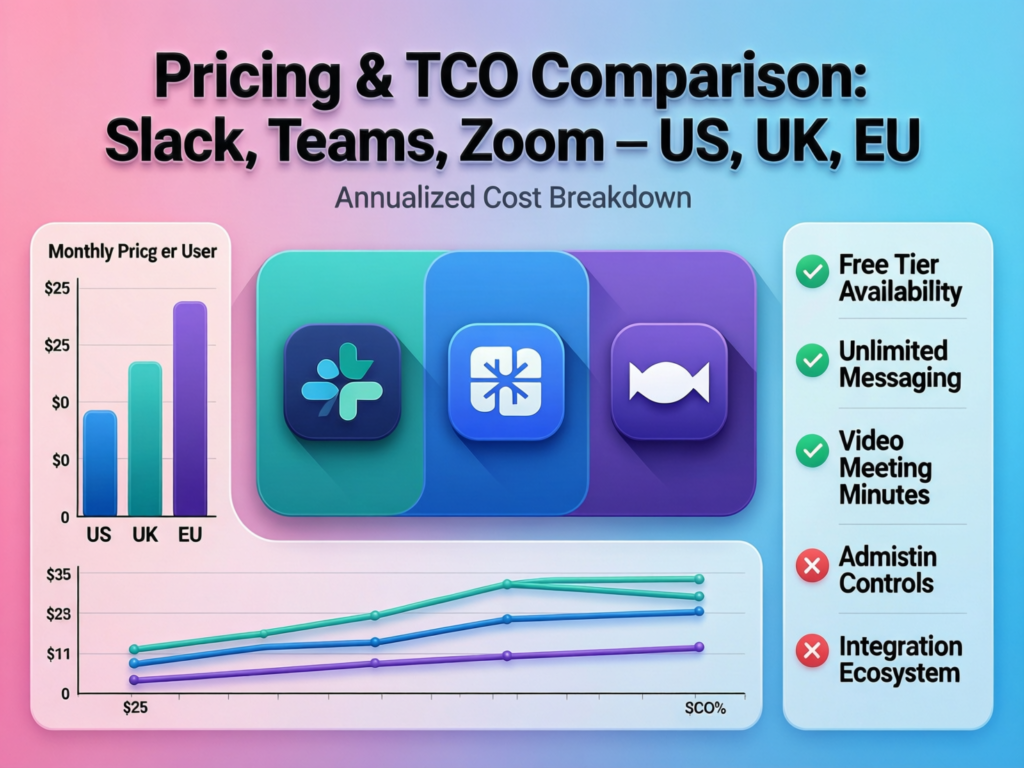
Slack vs Teams vs Zoom in the US, UK & EU
Micro-answer (AEO-ready)
Teams is often the cheapest incremental option if you already pay for Microsoft 365.
Slack can cost more per user but is flexible and generous for smaller teams.
Zoom adds cost when stacked with Slack or Teams, but can replace separate webinar and telephony tools.
Free vs Paid Plans.
Free tiers are fine for small project teams, but in the US, UK and Germany most businesses hit limitations quickly:
Slack Free.
Limited message history and fewer compliance options; most 20–50 person teams in US/UK SaaS move to Pro or Business as they scale.
Teams “Free”.
Often irrelevant for businesses already on Microsoft 365 Business or E3/E5 you’re paying for Teams whether you use it or not.
Zoom Basic.
40-minute group meeting limit forces upgrades for growing teams; sales and telehealth workflows almost always require Pro or Business.
Typical tipping points.
US/UK agencies: upgrade Slack once client channels multiply and exports are needed
German SMEs: go paid sooner due to DSGVO-driven retention and audit trails
Telehealth in the US: Zoom upgrades as soon as HIPAA-eligible features and BAAs are needed
US, UK and EU Pricing Examples
Exact prices fluctuate with FX rates, promos and taxes, but generally.
In the US, Microsoft 365 Business or E3/E5 plans often make Teams the cheapest per-seat option once you pass roughly 25–50 users.
In the UK, Slack and Zoom list prices in GBP and are impacted by VAT; public-sector or NHS-linked organizations may have specific Microsoft or Zoom frameworks.
In Germany and the wider EU, EUR pricing plus VAT and data-residency options (e.g., EU-only data storage) influence real cost.
Local partners (carriers, MSPs, consultancies) can bundle Teams Phone or Zoom Phone with SIP trunks and contact center platforms, so procurement should look at full UCaaS/CCaaS bundles, not just list price per user.
Bundled Value vs Best-of-Breed.
If your organization is already all-in on Microsoft 365, Teams is effectively “free” and tends to win on TCO. If you’re committed to Google Workspace, then Slack + Zoom often makes more sense, especially for tech-heavy teams.
For a 50-person US or UK company, a common pattern Mak it Solutions sees is:
Option A
Microsoft 365 Business + Teams + Teams Phone for a unified communications platform
Option B
Google Workspace + Slack Pro/Business + Zoom Pro/Business/Phone
Comparing 1-, 3- and 5-year TCO should factor in training, migration, app consolidation and security tooling — not just headline license fees. Remote work tech spend per employee has nearly doubled since 2020, so the long view really matters.
Security, Compliance & Data Residency.
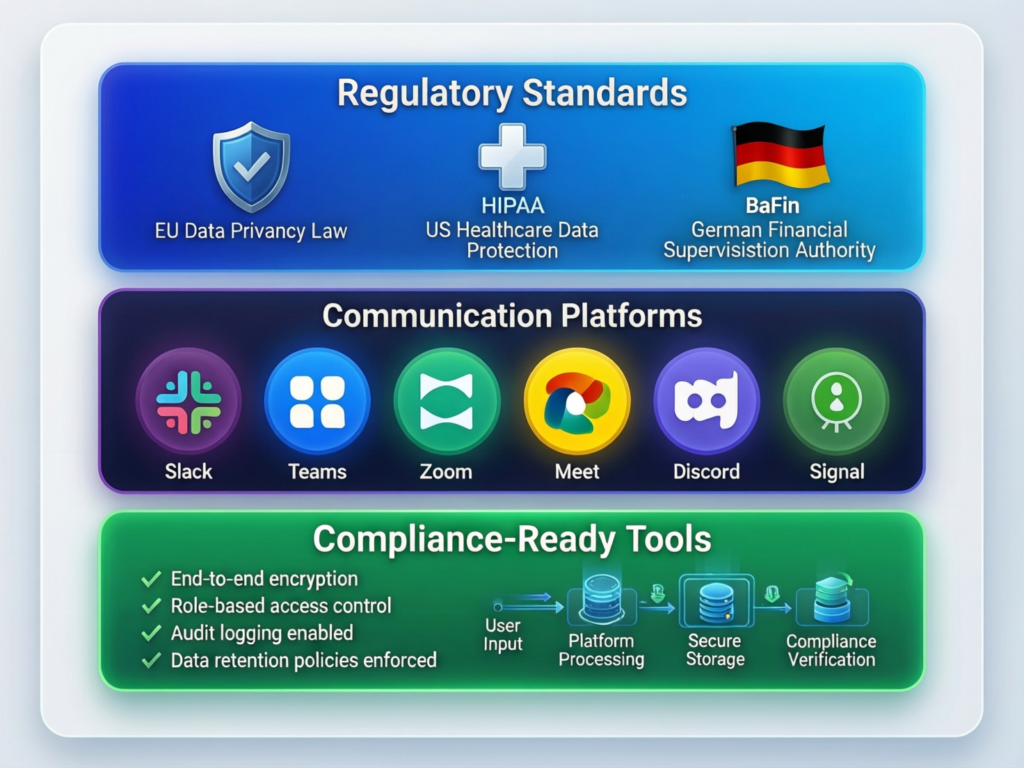
For CIOs, CISOs and DPOs, the key question is not “is tool X secure?” but “can we configure it to meet GDPR, HIPAA, PCI DSS, BaFin and internal policies?”.
Core Security & Certifications
All three vendors follow modern security practices (encryption in transit and at rest, SSO, MFA) and maintain major certifications:
Slack.
ISO 27001/27017/27018, SOC 2, SOC 3, HIPAA-ready configurations, plus data residency and Enterprise Key Management.
Microsoft Teams.
Leverages Microsoft 365’s compliance stack with ISO 27001, SOC 1/2 and extensive audit and DLP capabilities via the Service Trust Portal.
Zoom.
Holds SOC 2 Type II, ISO 27001/27017/27018 and offers HIPAA-eligible plans and FedRAMP-authorized services.
Security leaders in New York, London and Berlin will care about:
Centralized identity (Entra ID, Okta, etc.)
DLP, legal hold, journaling and eDiscovery
Granular admin roles and app permission controls
GDPR/DSGVO, UK-GDPR and EU Data Residency
GDPR and UK-GDPR demand clarity on data processing, data transfers and data residency. All three vendors offer EU or regional data-storage options, but models differ.
For German companies and their Betriebsrat, priorities typically include:
Data residency in the EU/EEA (and for some sectors, in specific countries)
Logging, monitoring and the ability to show who can access which messages
Fine-grained retention controls aligned with DSGVO deletion obligations
Schrems II means you must pay attention to cross-border data transfers and use of sub-processors; your DPO will want vendor DPAs and sub-processor lists.
Regulated Industries.
In high-risk verticals.
US healthcare/telehealth
Zoom and Teams both offer HIPAA-aligned setups with BAAs; Slack can be configured for HIPAA in higher tiers.
German financial services/BaFin
Expect emphasis on auditability, logging and data export; Teams often has an edge due to Microsoft’s long history with regulators, but Slack Enterprise Grid and Zoom can also fit with the right controls.
PCI DSS & fintech
You’ll typically keep card data out of chat/video while ensuring platforms meet SOC 2/ISO 27001 standards.
NHS & UK public sector
Many NHS trusts standardize on Microsoft 365 and Teams for collaboration, layered with secure telehealth solutions and sometimes Zoom for patient-facing clinics.
Best Fit by Company Size & Industry.
Micro-answer (AEO-ready)
Startups & tech scale-ups in the US, UK and EU often favor Slack.
Large enterprises and the public sector lean toward Microsoft Teams.
Customer-facing, education and healthcare organizations often standardize on Zoom for meetings, even if Slack or Teams handle chat.
Startups & Small Businesses (US, UK, Germany/EU)
Companies from 10–200 people usually.
Live in Google Workspace or lightweight Microsoft 365 plans
Need flexible, integration-friendly tools
Care more about speed than formal governance (at first)
Patterns we see.
US SaaS startups: Slack + Zoom + Google Workspace
UK agencies: Slack + Google Workspace, Zoom for client calls and webinars
Berlin-based startups: Slack in English + German channels, Zoom or Google Meet for video
Slack’s free and lower tiers give good value early; Teams is attractive if you’re already on Business Basic/Standard; Zoom becomes non-negotiable once you run regular external demos.
Mid-Market & Enterprise IT (Global, with US/UK/DE focus)
For 500–50,000 user organizations with complex identity, DLP and legal needs:
Microsoft Teams is usually the standard for company-wide rollout
Many keep Zoom for executive, sales or webinar-heavy teams
Some departments still run Slack for engineering or digital product teams
Tenant management, guest access, archiving and eDiscovery often push enterprises toward Teams, especially when they’re already working with Microsoft for Azure, Power Platform or other workloads.
Education, Healthcare & Public Sector
Education.
US and EU universities commonly mix Teams, Zoom and LMS platforms; Zoom still dominates virtual lectures and office hours in many institutions.
Healthcare.
Telehealth in the US and UK often centers on Zoom or Teams due to HIPAA/NHS guidance, with strict policies on recording and chat.
German/EU public sector.
Concerns around GDPR, DSGVO and data residency often result in stricter evaluations and, in some cases, on-prem or sovereign-cloud setups.
Matching Slack, Teams and Zoom to Real-World Workflows
Remote & Hybrid Workflows (US-based, UK and EU remote teams)
Daily routines in remote/hybrid teams often look like.
Async stand-ups in Slack or Teams channels
1:1s and team meetings in Zoom or Teams
Cross-border collaboration (e.g., New York ↔ London ↔ Berlin) across time zones
Chat is now the most preferred method of collaboration for many leaders and employees, which is why getting the core messaging product right matters.
Language support in Slack, Teams and Zoom is generally strong across EU languages, but you’ll still need localized onboarding and playbooks for German or French-speaking teams.
Project Management & IT/Dev Work
For IT and dev teams, integrations drive the choice:
Slack and Teams both integrate with Jira, Asana, GitHub and Azure DevOps
Zoom is often used for incident calls, war rooms and live retros
In New York or London-based incident response teams, a common pattern is:
Alerts flow into Slack/Teams channels
A Zoom or Teams call spins up automatically
Notes and follow-ups are captured back into the channel or a ticket
Mak it Solutions frequently helps clients stitch these workflows together while also building the surrounding web platforms and analytics dashboards. ([Mak it Solutions][3])
External Collaboration: Clients, Vendors & Partners
Client-facing collaboration is where Zoom and, increasingly, Teams shine:
Zoom for webinars, sales demos and customer training
Teams for B2B projects where the client mandates Microsoft 365
Slack Connect or Teams shared channels for long-running partnerships
If most of your revenue comes from US clients who already use Teams, it’s often pragmatic to standardize on Teams internally. If you’re a UK agency or EU SaaS vendor working with a mix of clients, you may need to be fluent in all three platforms and pick your internal hub independently.
How to Decide: 7-Step Checklist for Choosing Slack, Teams or Zoom
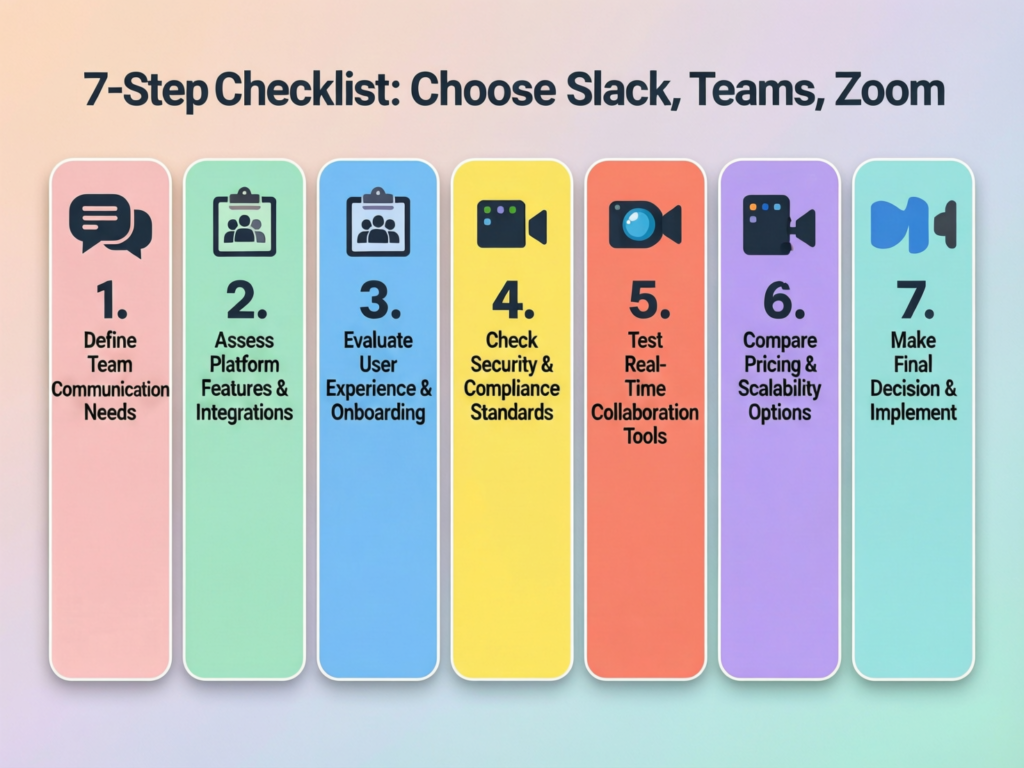
This is your practical 7-step framework for deciding or confirming your collaboration stack.
Map Your Stack, Risk Profile and GEO Requirements
Inventory your stack
List your current collaboration tools, productivity suites (Microsoft 365, Google Workspace), CRM, phone system, contact center, LMS and any niche apps.
Identify compliance needs
Map out regulations such as GDPR/DSGVO, UK-GDPR, HIPAA, PCI DSS, BaFin, NHS or other local rules.
Clarify GEO footprint
Where are your users? US only, US + UK, DACH, wider EU? Do you need strict data residency or sovereign-cloud options?
Score Features, Security, Price and User Experience
Build a scorecard
For each tool, rate messaging, meetings, phone, integrations, admin UX and compliance. Keep it simple but honest.
Compare TCO
Estimate 1-, 3- and 5-year costs including licenses, migration, support and training. Remote work tech spend per employee has nearly doubled since 2020, so this is non-trivial.
Run pilots
Pilot with representative teams in New York, London and Berlin; include high-value workflows (sales, support, product, leadership).
Make the Call or Combine Tools and Plan Rollout
Decide on hub + satellites
One hub (usually Teams or Slack) plus Zoom or Teams for premium meetings
Or Teams as the company-wide standard with Slack kept for dev/product
Then plan.
Change management and training (especially for non-technical staff)
Governance (naming conventions, retention, guest access)
Adoption metrics (active users, meeting counts, message volume)
If you want help running this evaluation or modelling TCO across tools and regions, Mak it Solutions can support with technical discovery, integration planning and proof-of-concept builds.
Concluding Remarks
Slack.
Best fit for startups and tech-heavy teams in the US, UK and EU that prioritize developer workflows, integrations and channel-centric culture.
Microsoft Teams.
Default choice for Microsoft 365-centric enterprises, public sector and organizations needing tight governance across New York, London and Berlin offices.
Zoom.
Essential when video quality, webinars or telehealth are mission-critical especially for sales, education and healthcare.
How AI, automation and compliance trends may shift the choice
AI assistants inside Slack, Teams and Zoom are rapidly changing how messages are summarized, tasks are extracted and meetings are transcribed. At the same time, compliance pressures (GDPR fines of up to €20M or 4% of global turnover) mean CIOs and DPOs can’t ignore where data is stored and how it’s processed.
Whatever you choose, treat collaboration as a product, not just a tool: define ownership, measure adoption and keep iterating just as you would for your website, mobile apps or analytics stack.
Key Takeaways
Microsoft Teams usually offers the lowest incremental cost for Microsoft 365 customers, especially at mid-market and enterprise scale.
Slack remains the strongest choice for integration-heavy, engineering-led companies across the US, UK and EU that value channel-first communication.
Zoom still leads for external meetings, webinars and telehealth — often complementing Slack or Teams rather than replacing them.
Security and compliance (GDPR/DSGVO, HIPAA, PCI DSS, BaFin, NHS) should drive configuration and vendor negotiation, not just pricing.
A structured 7-step decision framework helps small businesses and enterprises alike avoid tool sprawl and pick a sustainable collaboration strategy.
If you’re weighing Slack vs Teams vs Zoom and feel stuck between features, pricing and compliance, you don’t have to untangle it alone. Mak it Solutions can help you audit your current stack, map regulatory requirements across US, UK and EU operations, and design a collaboration architecture that actually supports your growth.
Share a short brief about your team size, regions and current tools, and we’ll suggest a practical rollout plan whether that’s standardizing on Teams, leaning into Slack, or running a smart Slack/Zoom or Teams/Zoom combo. ( Click Here’s )
FAQs
Q : Can you use Slack, Teams and Zoom together, or should you standardize on one platform?
A : Yes, many organizations deliberately use more than one platform: for example, Teams as the company-wide hub, Slack for engineering and Zoom for external sales and webinars. The downside is extra licensing and more complex governance, so IT should treat this as a conscious design choice, not an accident. Standardizing on one platform works best when your workflows and compliance needs are relatively uniform across departments and regions.
Q : Which tool is better for external client meetings and webinars: Zoom, Microsoft Teams or Slack?
A : Zoom usually wins for external client meetings and webinars because participants already know the interface and it’s optimized for video quality and large events. Teams can be excellent when your clients are also on Microsoft 365 and expect Teams invites as standard. Slack huddles are great for quick internal calls, but it’s rarely chosen as the primary webinar or external meeting platform. In practice, many US, UK and EU companies use Zoom for external-facing sessions and keep Teams or Slack for internal collaboration.
Q : How hard is it to migrate chat history and channels when switching from Slack to Teams (or vice versa)?
A : Migrating from Slack to Teams or the other way round is doable but rarely “one click”. You typically need export tools or third-party migration services to move channel histories, users and sometimes files. In regulated industries, you’ll also involve legal and compliance teams to decide how far back to migrate and how to preserve audit trails. Most organizations moving hundreds of users phase the change: freeze old spaces as read-only archives and shift active projects into the new platform over a few months.
Q : What should IT and security teams review in a Slack vs Teams vs Zoom security assessment?
A : Security teams should review each vendor’s certifications (e.g., ISO 27001, SOC 2), encryption standards, data residency options, admin controls and logging capabilities. They should also test SSO/MFA integration, app permission models and retention settings against GDPR/DSGVO, HIPAA or PCI DSS requirements where relevant. Finally, they should evaluate whether existing SIEM, DLP and eDiscovery tools integrate cleanly with Slack, Teams and Zoom so investigations are fast and auditable.
Q : How do AI features in Slack, Teams and Zoom affect productivity and compliance for EU companies?
A : AI summarization and assistants can significantly boost productivity by condensing long threads and meetings into short action lists, which is valuable for distributed teams across Europe. However, EU companies must check how training data is handled, where AI processing occurs and whether data leaves the EEA, especially post-Schrems II. DPOs should review vendor documentation, opt-out controls and any separate AI terms, and may prefer EU-only processing options where available. IT should also provide guidance so staff understand which content is safe to run through AI features.