


Technical SEO Audit Checklist for US, UK & EU
Technical SEO Audit Checklist for US, UK & EU

Technical SEO Audit Checklist for US, UK & EU
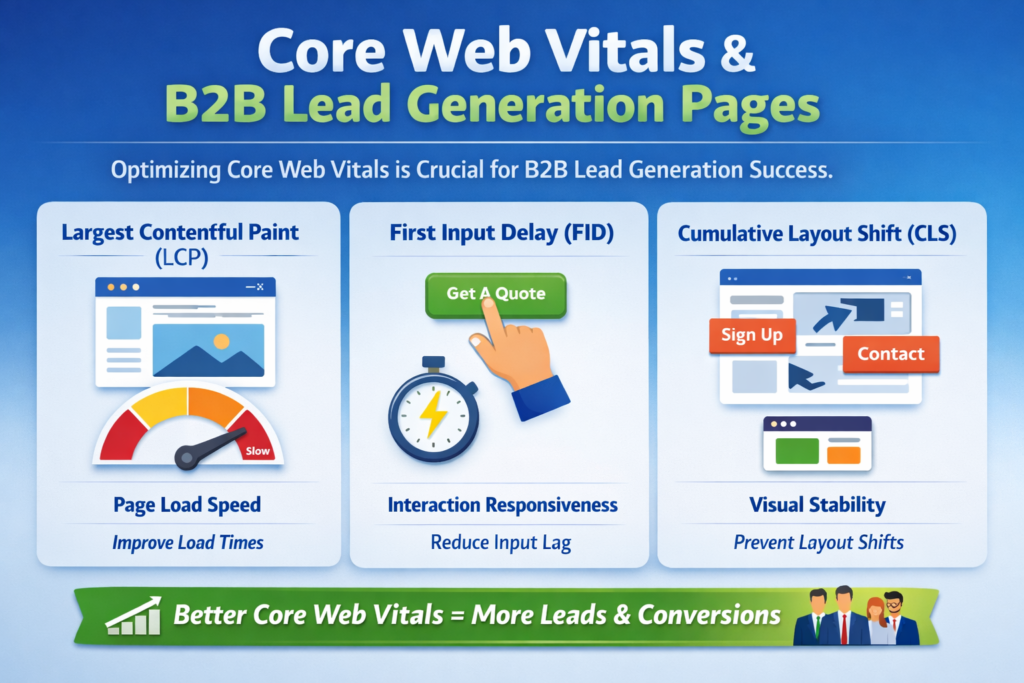
A technical SEO audit checklist helps B2B websites find and fix the backend issues that quietly weaken rankings, traffic quality, and lead flow. For most B2B service and SaaS sites, the biggest wins usually come from improving crawlability, tightening indexation, speeding up key templates, and making sure commercial pages are easy for both users and search engines to reach. Google’s current Core Web Vitals guidance still centers on LCP, INP, and CLS, with “good” targets of 2.5 seconds, 200 milliseconds, and 0.1.
If you are running SEO for a consultancy, SaaS brand, enterprise services firm, or lead-gen website, this is the work that supports everything else. Great content cannot do much if search engines are crawling the wrong URLs, indexing duplicates, or hitting slow, script-heavy page templates.
In practice, the best technical SEO audits do not stop at “site health.” They focus on the pages that move pipeline: service pages, solution pages, comparison pages, case studies, consultation forms, and demo flows.
What a Technical SEO Audit Checklist Should Cover
A useful technical SEO audit checklist reviews the systems that affect how search engines discover, render, understand, and prioritize your pages. For B2B sites, that usually means.
Crawlability
Indexation
Canonicalization
Site speed and Core Web Vitals
Mobile UX
Internal linking
Structured data
Conversion-path accessibility
Compliance-sensitive technical setup
The goal is simple: remove technical friction from high-intent pages so they can rank, load, and convert more reliably.
Why this matters more for B2B websites
On a B2B site, one underperforming service page can affect qualified leads more than dozens of low-value blog posts. That is why technical SEO has to be tied to commercial intent.
A cloud consultancy in New York may need cleaner service-page architecture. A UK B2B firm may need stronger accessibility and mobile form UX. A Germany-focused SaaS company may need clearer trust signals around privacy, consent, and data handling. The SEO principles stay the same, but the implementation should fit the market.
Crawlability, Indexation, and Access Checks
This is the first section of any serious technical audit. If search engines cannot reach the right pages, the rest of the checklist is mostly cosmetic.
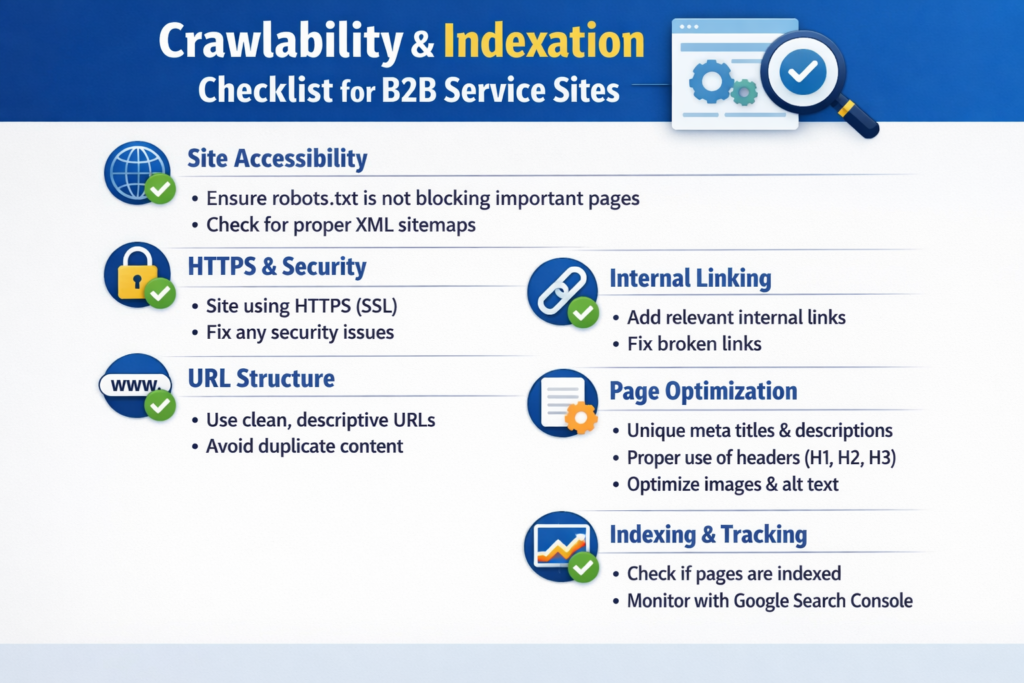
Review robots.txt and XML sitemaps
Check whether important commercial pages are blocked, whether old folders are still exposed, and whether your sitemap includes only live canonical URLs. Google recommends using sitemaps to help search engines discover important URLs, and it treats sitemap submissions as a signal rather than a guarantee.
Look closely at.
Service pages
Industry pages
Case studies
Blog hubs
Contact, consultation, and demo pages
If key pages are buried deep or missing from internal pathways, they are harder to crawl and easier to ignore.
Check canonical tags and duplicate URL patterns
Canonicalization problems are common after redesigns, CMS changes, campaign tracking, or multilingual expansion. Google defines a canonical URL as the representative version selected from a set of duplicate pages, and sitemap URLs can also be treated as canonical hints.
Audit for.
Self-referencing canonicals
Conflicting canonicals
Parameter-based duplicates
HTTP/HTTPS duplication
Trailing slash inconsistencies
Staging or test URLs left indexable
For B2B sites with multiple service variants, this is often where rankings start leaking.
Find orphan pages, redirect chains, and broken links
Orphan pages often include case studies, gated assets, webinar pages, and older location pages that still have value but no longer sit in the site’s main structure.
Redirect chains and broken internal links create friction for both crawlers and buyers. They also waste authority that should be flowing into high-intent pages.
A fast way to prioritize this section is to ask one question: which technical issues affect pages closest to revenue?
Core Web Vitals, Mobile SEO, and Rendering
A slow or unstable page can lose trust before a buyer reads a headline. That is especially costly on pages built to capture demand.
Audit Core Web Vitals by template
Do not rely only on domain-wide averages. Review performance by page type.
Homepage
Service pages
Solution pages
Demo pages
Contact forms
Blog templates
Case studies
Focus on the usual culprits.
Oversized hero images
Third-party scripts
Cookie banners
Tag-manager bloat
Web font delays
Embedded videos
Unoptimized JavaScript
Google’s documentation still defines good thresholds as.
LCP: 2.5 seconds or less
INP: less than 200 milliseconds
CLS: 0.1 or less
For B2B teams, the point is not to chase a score for its own sake. The point is to remove delay from pages where a prospect is deciding whether to book a call or request a proposal.
Validate mobile-first UX
Many B2B conversions still happen on desktop, but first visits often happen on mobile. That means your audit should check.
Navigation clarity
Tap-target spacing
Form usability
Sticky elements
Font rendering
Page stability during load
CTA visibility on smaller screens
This matters in every region, but it becomes even more important when buyers are comparing several providers quickly during research.
Investigate JavaScript SEO risks
Modern frameworks can create elegant front ends and messy SEO outcomes. Google can process JavaScript, but its own guidance still explains that pages move through crawling, rendering, and indexing phases, which means heavily script-dependent content can introduce delays or incomplete understanding.
Important content should not depend entirely on fragile rendering paths. Check that these elements appear clearly in rendered HTML.
Main headings
Core body copy
Internal links
Metadata
Important CTAs
Structured data
This is where [custom web development] and SEO need to work together instead of in separate lanes.
Site Architecture and Internal Linking for Lead Generation
A B2B site should guide users from education to evaluation to contact. Good architecture makes that journey easier to crawl and easier to convert.
Review service-page and hub-page structure
Service pages should be close enough to the root to be discovered easily and linked logically. Hub pages can strengthen topical relationships and reduce crawl depth.
A strong structure often looks like this.
Core service hub
Individual service pages
Industry or use-case pages
Case studies and proof pages
Contact, consultation, or demo pages
For UK service brands, cleaner terminology can help. “Consultation” or “specialist support” may fit better than aggressive SaaS-style demo language. For Germany-focused pages, trust and clarity often matter more than flashy messaging.
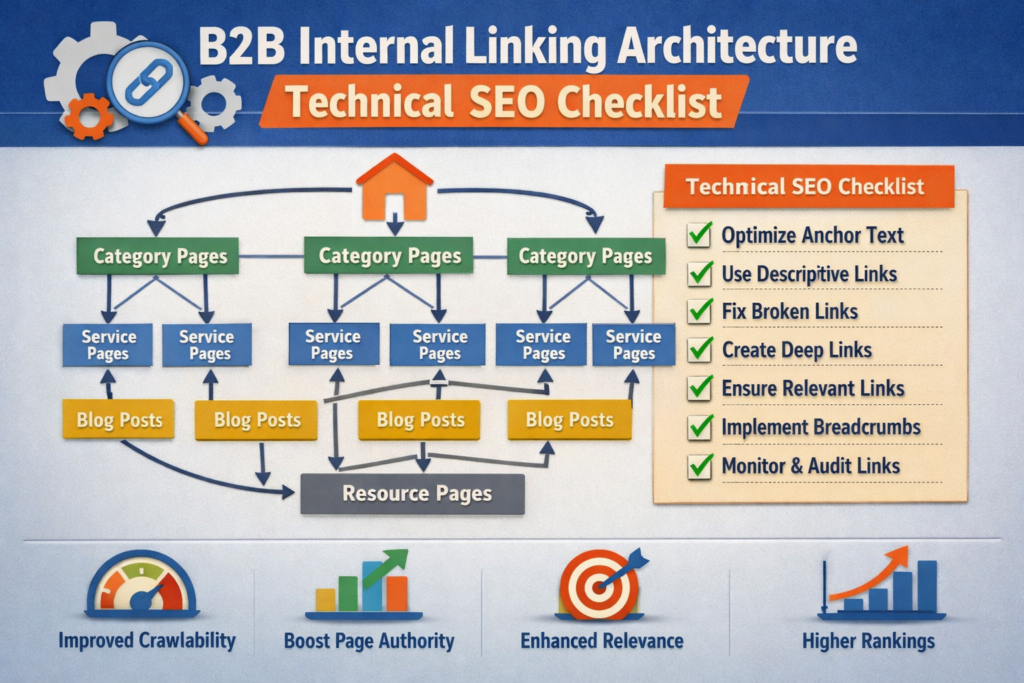
Strengthen internal linking between intent layers
One of the easiest wins in a technical SEO audit checklist is better internal linking. Not random linking. Useful linking.
Your content should naturally connect.
Blog posts → service pages
Service pages → case studies
Case studies → contact pages
Resource hubs → consultation pages
Use descriptive anchors that sound natural in context. This is also the right place to add internal references such as technical SEO services business intelligence reporting and mobile-first user journeys.
Audit conversion-critical paths
Technical SEO is not only about ranking pages. It is also about making sure those pages can do their job once users land on them.
Check whether.
Demo pages load quickly
Forms work on mobile
Thank-you pages are accidentally indexable
Contact pages are too deep in the structure
CTAs break under cookie or script overlays
Key forms fail when JavaScript misfires
This is where many B2B teams discover that traffic was never the full problem.
Structured Data, Trust Signals, and Compliance
For B2B websites in the US, UK, and Europe, technical trust matters. Buyers notice it, and search engines benefit from clearer context.
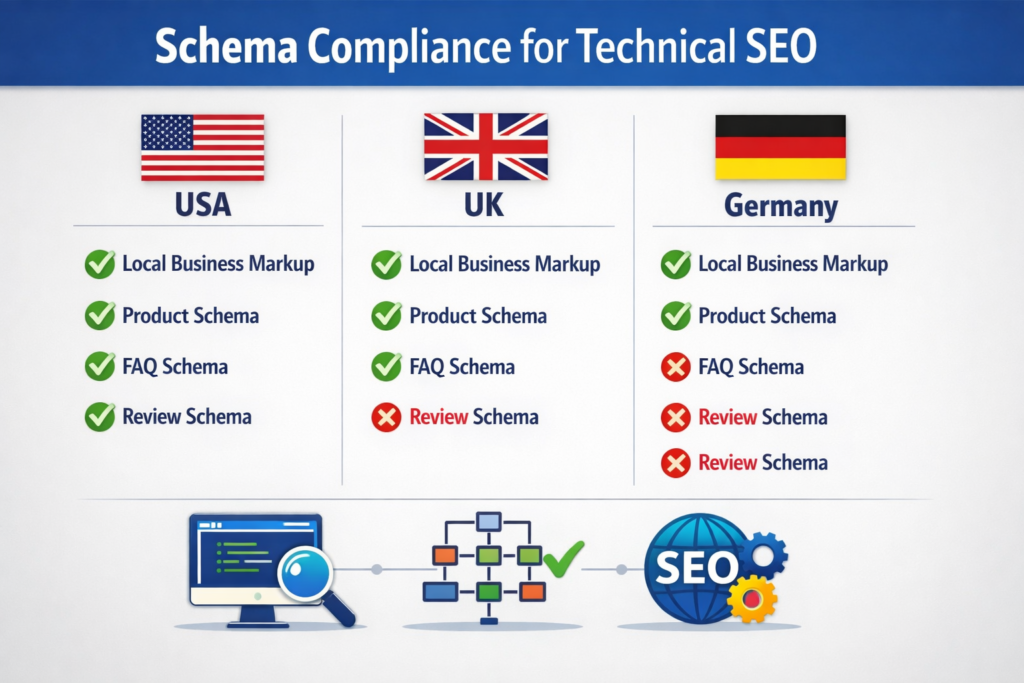
Review structured data implementation
Structured data should support clarity, not clutter. Depending on the site, useful schema may include:
Organization
Service
Breadcrumb
FAQ
Breadcrumbs can reinforce hierarchy. Organization and service markup can support entity clarity. FAQ content can help answer intent cleanly when it is genuinely useful.
This is also a smart place to connect related resources such as [structured data strategy] and [regional technical SEO examples].
Check privacy and compliance-sensitive setup
If your site operates in Europe or the UK, privacy handling is not a side issue. The EU GDPR remains the core EU framework for personal-data protection, and the UK applies UK GDPR guidance through the ICO alongside the Data Protection Act 2018.
For regulated sectors, technical implementation should also reflect real buyer expectations. Examples include.
HIPAA-aware healthcare pages in the US
PCI DSS-aware payment environments
BaFin and DORA-aligned trust expectations for German financial contexts
HHS states that the HIPAA Security Rule requires administrative, physical, and technical safeguards for electronic protected health information, while PCI SSC describes PCI DSS as a baseline of technical and operational requirements to protect payment account data. BaFin has also published DORA guidance for financial entities.
That does not mean turning every page into a compliance memo. It means making sure your technical setup supports the trust your buyers already expect.
A Practical Workflow for Running the Audit
A long spreadsheet is not the goal. A prioritized action plan is.
Use a simple audit sequence
A practical workflow looks like this.
Crawl the full site with a tool such as Screaming Frog or Sitebulb
Review indexing and performance signals in Google Search Console
Segment URLs by template type
Prioritize issues by business impact
Fix the highest-value templates first
Re-crawl and validate the changes
This works well for in-house teams and agencies alike.
Prioritize by revenue risk, not just severity
Use three filters.
How many important pages are affected?
How hard is the fix?
How close are those pages to pipeline generation?
A missing breadcrumb on a blog page matters less than canonical confusion across service pages. A slow archive matters less than a broken consultation template.
Final Thoughts
A technical SEO audit checklist is most valuable when it leads to fixes on the pages that actually drive business. Start with your highest-intent templates, clean up crawl and indexation issues, improve speed where it affects trust, and strengthen the paths that move users from discovery to enquiry. That is where technical SEO starts looking less like maintenance and more like growth.( Click Here’s )
Key Takeaways
A strong technical SEO audit checklist for B2B growth should focus first on the issues most likely to affect revenue.
Crawlability and indexation
Canonical control
Core Web Vitals and template speed
Mobile UX
JavaScript rendering
Internal linking
Structured data
Conversion-path accessibility
Compliance-sensitive trust signals
When these foundations are clean, your content and demand-generation efforts have a much better chance of performing.
If your site is targeting buyers in the US, UK, or Germany, it is worth making the audit region-aware rather than treating every market the same. The framework can stay consistent, but the trust signals, terminology, and implementation details should feel local.
FAQs
Q : How often should a B2B company run a technical SEO audit checklist?
A : A light review each month and a deeper audit each quarter is a practical baseline. Monthly checks catch crawl errors, sitemap issues, broken links, and performance shifts. Quarterly reviews are better for template-level analysis and structural cleanup.
Q : Which technical SEO issues usually hurt service-page performance first?
A : The usual starting points are indexation errors, weak internal links, duplicate canonicals, slow templates, and rendering issues. These problems often affect rankings and form completions at the same time.
Q : Is a technical SEO audit checklist different for enterprise websites?
A : Yes, mostly in scale. Enterprise sites usually need tighter governance around international SEO, subdomains, faceted navigation, rollout control, and cross-team coordination. The fundamentals stay the same, but complexity rises quickly.
Q : What tools are useful for this type of audit?
A : Most teams can cover the essentials with a crawler, Google Search Console, page-speed tools, schema validation, and a simple reporting setup. The best stack is the one your team can repeat consistently.
Q : Can technical SEO issues reduce leads even when traffic looks stable?
A : Yes. Traffic can stay flat while leads drop because pages load more slowly, forms break, mobile UX worsens, or internal links stop guiding visitors toward the right offer. That is one reason a technical SEO audit checklist should always include conversion paths.