Skip to content
MAK IT Solutions
WordPress · Featured plugin

Sentinel Guard Free

Free WordPress login protection, optional two-factor authentication, comment filtering, request filtering, and read-only file monitoring.

v5.3.0 WP 7.1

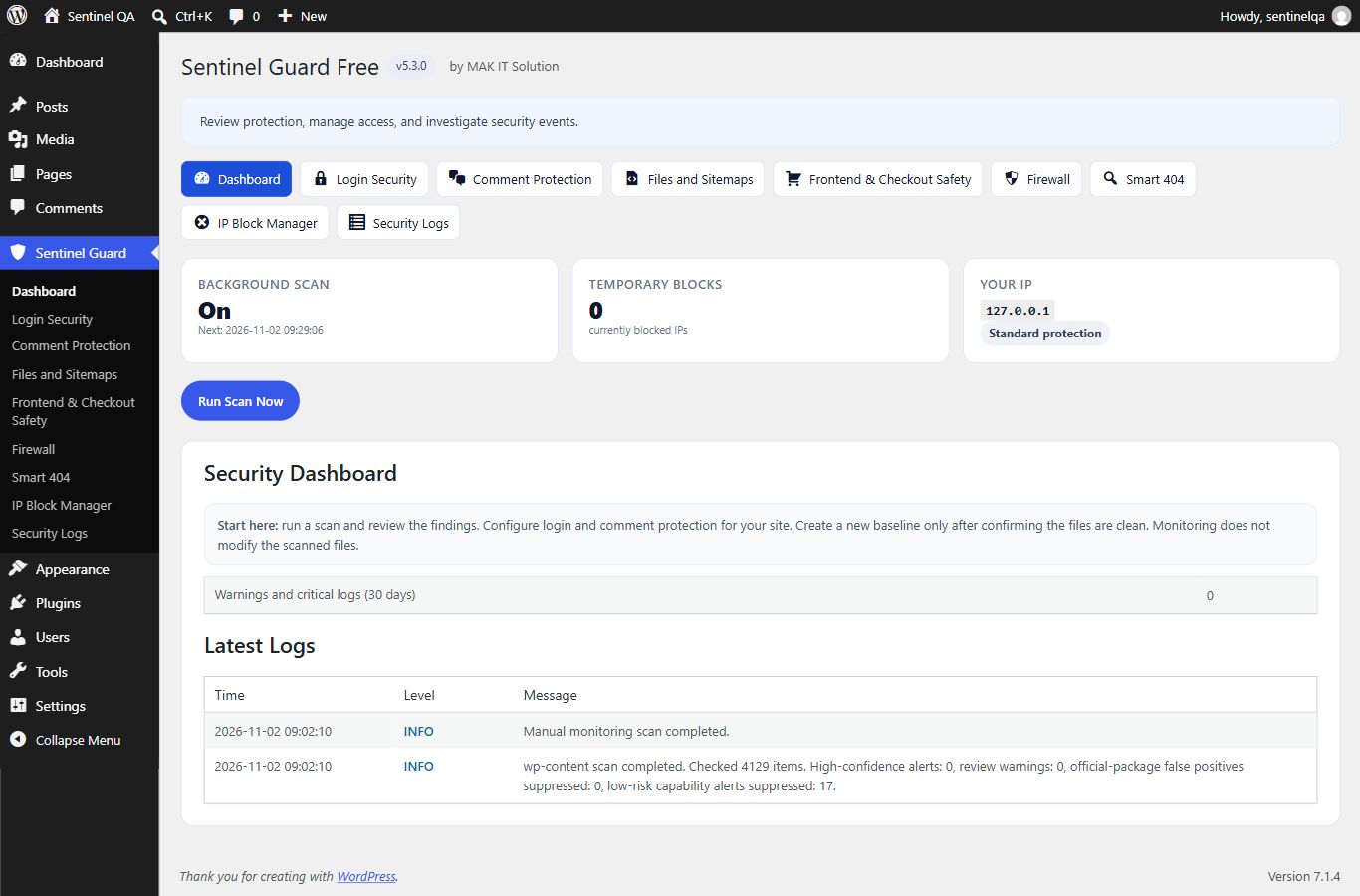
Screenshots

Overview

Free WordPress login protection, optional two-factor authentication, comment filtering, request filtering, and read-only file monitoring.

Choose your edition

Sentinel Guard Free and Pro

Free provides protection and read-only monitoring. Pro adds recovery and administration tools and requires the Free plugin.

CapabilityFreePro add-on
Login protection, 2FA, filteringIncludedUses Free
Read-only monitoring and logsIncludedUses Free
Private backups and core recovery—Included
Quarantine and plugin approvals—Included
Session controls and server hardening—Included

About this plugin

What it does

Free WordPress login protection, optional two-factor authentication, comment filtering, request filtering, and read-only file monitoring.

  • Login protection and optional email or TOTP 2FA
  • Comment and request filtering
  • Read-only file integrity monitoring
  • Local security logs and alerts

Requirements

WordPress 6.2+ and PHP 7.4+. Single-site WordPress.

Installation

  1. Download the ZIP using the button on this page.
  2. In WordPress, open Plugins → Add New → Upload Plugin.
  3. Choose the ZIP, install it, and activate the plugin.
  4. Read the included readme and review the plugin settings.

For an update, back up your site and use WordPress’s upload-and-replace flow. Review compatibility on a staging site before changing a live store.

Included documentation

The download includes the original plugin files and readme. License: GPLv2 or later.

What’s included

Capabilities you get out of the box.

  • Login protection and optional email or TOTP 2FA
  • Comment and request filtering
  • Read-only file integrity monitoring
  • Local security logs and alerts

How to install

  1. 01

    Download the ZIP

    Use the button on this page to get the latest package.

  2. 02

    Upload in WordPress

    Go to Plugins → Add New → Upload Plugin, then choose the ZIP.

  3. 03

    Activate & configure

    Turn it on, then open the settings panel for sensible defaults.

FAQ

Check the requirements on this page and the included readme. Test the plugin with your theme, extensions, and checkout before using it on a live site.
WordPress Free download

More plugins

You might also like

Free Featured

WordPress

Bundle Quantity Discount

B

Quantity tiers, automatic product discounts, and live progress banners for WooCommerce.

WordPress Free download
  • Quantity discount tiers
  • Product and category targeting
  • Live discount progress banners
Free
v1.1.2
WP 7.0.2
View details
Free Featured

WordPress

VisitorTrail Analytics

V

Self-hosted visitor journey analytics with engagement, funnels, campaigns, and WooCommerce conversion tracking.

Analytics Free download
  • Visitor journeys and session reports
  • Content engagement insights
  • Campaign and funnel reporting
Free
v1.7.5
WP 7.1
View details
Paid edition

WordPress

Sentinel Guard Pro

S

Paid add-on for Sentinel Guard Free with private backups, verified core recovery, quarantine, plugin approvals, session controls, and server hardening.

WordPress Paid edition
  • Private backups and verified core recovery
  • File quarantine and plugin approval controls
  • Session management
$9.99/month or $99.99/year · USD
v1.0.0
WP 7.1
View details