


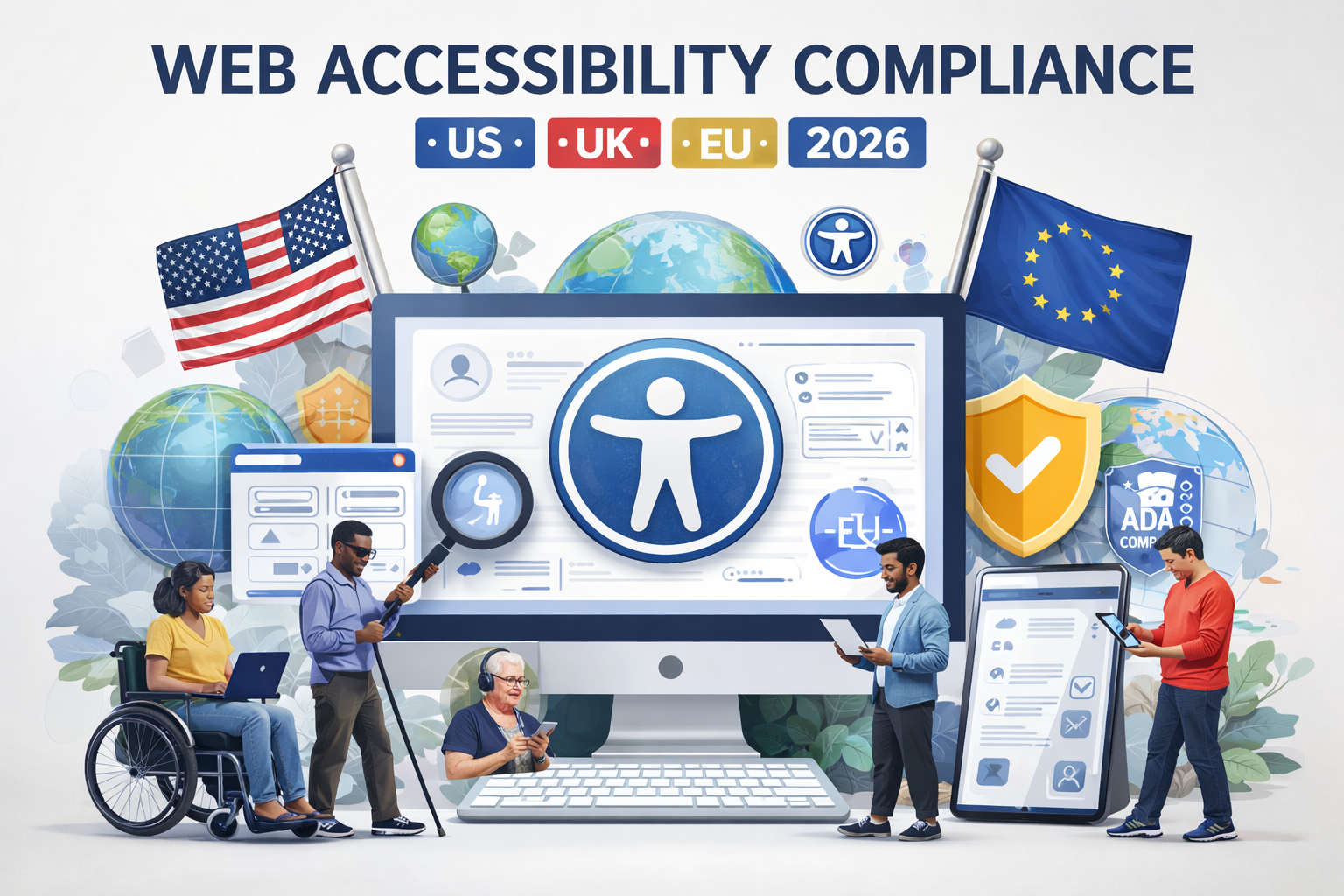
Web Accessibility Compliance: 2026 Guide
Web accessibility compliance in 2026 means building websites, apps, PDFs, and digital journeys that people with disabilities can actually use while aligning with standards like WCAG and the laws that apply in your market. For most organizations in the US, UK, Germany, and the wider EU, the practical approach is the same: audit first, fix the barriers that create the biggest risk, and make accessibility part of design, content, QA, and procurement from the start.
That matters for more than legal protection. It affects user experience, search visibility, conversion rates, and trust. A site can look polished and still fail users if forms are unlabeled, keyboard navigation breaks, PDFs are inaccessible, or checkout flows depend on interactions some visitors cannot complete independently.
Why Web Accessibility Compliance Matters More in 2026
Web accessibility compliance is no longer something only government teams or large enterprises talk about. It now sits right in the middle of normal digital delivery.
A missing form label can stop a lead from submitting an inquiry. Poor focus states can make a checkout flow unusable. A badly structured PDF can block a customer, patient, or citizen from accessing essential information. These are not edge cases. They are everyday failures that cost organizations revenue, credibility, and time.
For teams serving users in places like New York, London, Berlin, Munich, Frankfurt, or across the EU, accessibility has become a practical business requirement. It reduces friction, improves usability, and helps organizations avoid preventable complaints, legal pressure, and procurement issues.
What Web Accessibility Compliance Actually Covers
When people hear “web accessibility compliance,” they often think only about website pages. In practice, the scope is much broader.
It usually includes.
Websites and landing pages
Mobile apps
Downloadable PDFs and documents
Forms and authentication flows
Ecommerce journeys
Support and help-center content
Multimedia like videos and captions
Third-party tools, widgets, and integrations
In real-world delivery, accessibility is about complete user journeys, not isolated pages. A homepage may pass a basic scan, but if the sign-up flow, payment step, or account settings area is inaccessible, the user still hits a dead end.
WCAG Compliance vs Legal Accessibility Compliance
This is where many teams get confused.
WCAG compliance refers to technical conformance with the Web Content Accessibility Guidelines. It gives teams the benchmark for things like structure, keyboard access, contrast, focus order, link purpose, media alternatives, and error handling.
Legal accessibility compliance is broader. It depends on the laws and regulations that apply to your sector, geography, procurement environment, and type of service.
So yes, WCAG is the foundation. But it is not the whole picture.
A company may follow many WCAG best practices and still need to think about.
Public-sector obligations
Accessibility statements
Procurement requirements
Vendor accountability
Mobile app scope
Document accessibility
Local enforcement expectations
That is why strong accessibility work starts with both technical and legal scoping.
The Main Accessibility Frameworks Teams Should Know
If your organization operates across the US, UK, Germany, or the EU, these are the core frameworks to keep on your radar:
WCAG 2.2
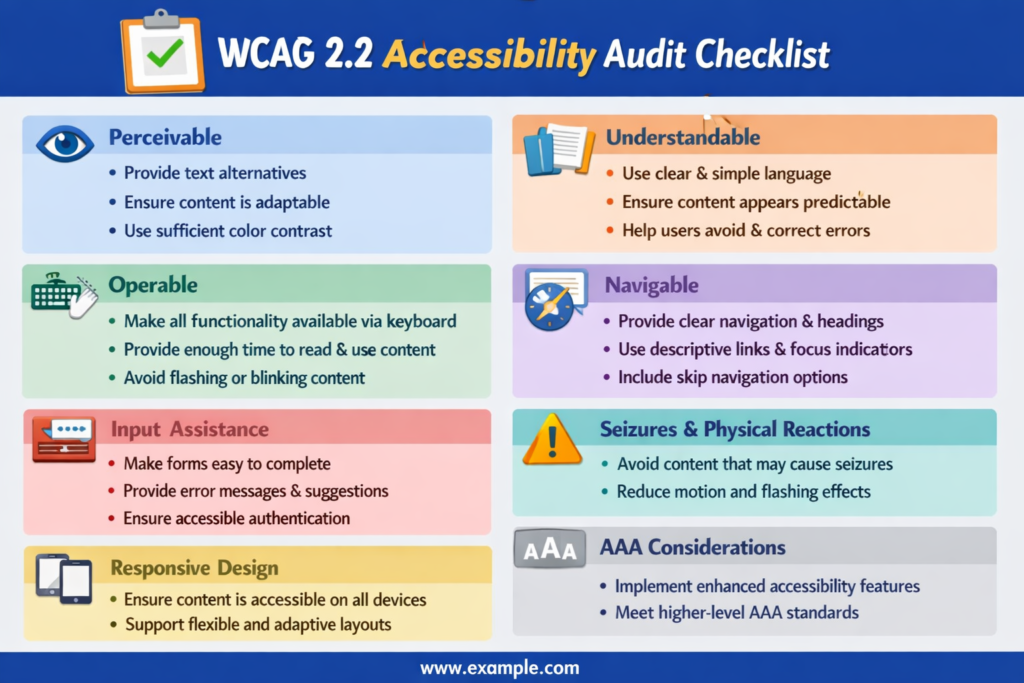
WCAG 2.2 is the main technical standard most teams use as their working benchmark. It gives practical guidance around perceivable, operable, understandable, and robust digital experiences.
United States.
In the US, the ADA shapes accessibility expectations, especially around public-facing digital services. Section 508 is especially important for federal technology and procurement, which also affects private vendors working with government buyers.
UK.
In the UK, accessibility requirements are especially clear in the public sector, where websites and apps are expected to meet defined standards and publish accessibility statements.
Germany and EU.
For Germany and the wider EU, accessibility increasingly intersects with both service delivery and procurement. BFSG, BITV 2.0, and EN 301 549 matter in practice, especially for public bodies, regulated services, and companies selling into European markets.
For cross-border organizations, the safest strategy is simple: build one strong accessibility baseline, then layer market-specific legal requirements on top of it.
How Web Accessibility Compliance Supports UX, SEO, and Conversions
Accessibility is often discussed as a compliance issue first. That is understandable, but it misses the bigger operational value.
When teams improve accessibility, they also tend to improve.
Clarity of page structure
Form completion rates
Mobile usability
Readability
Search engine understanding
Trust during high-stakes tasks
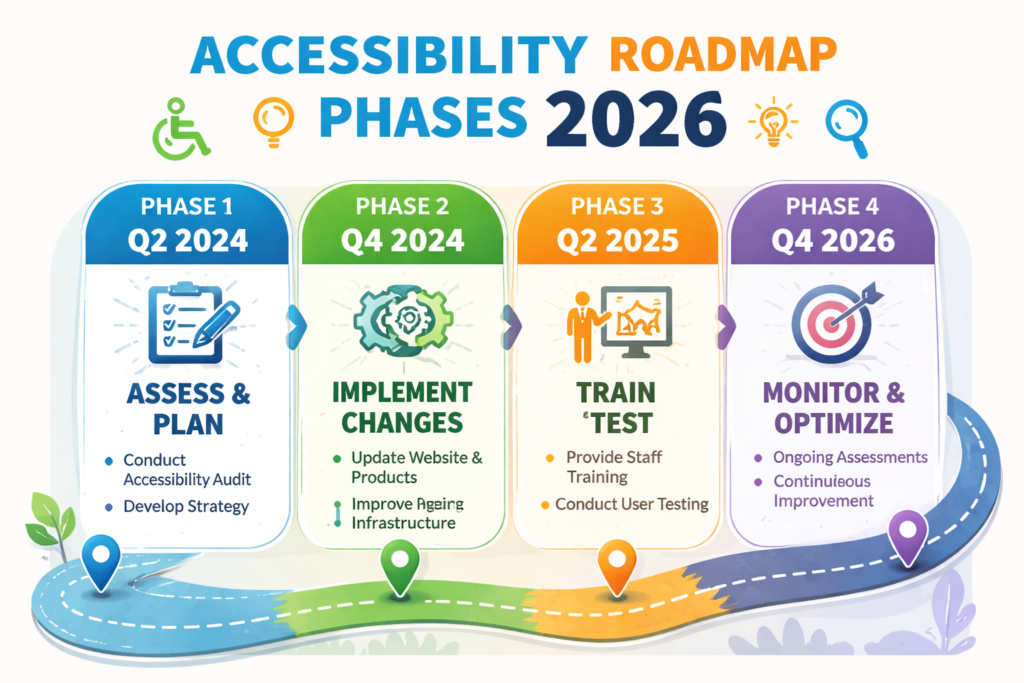
Better headings help both users and crawlers. Better link text reduces confusion. Semantic HTML improves structure. Alt text adds context. Clear error messages reduce drop-off.
From a commercial point of view, accessibility and performance are closely linked. In ecommerce, the biggest risks usually show up in filters, cart updates, payment forms, and guest checkout. In SaaS, it is often onboarding, demos, dashboards, and support flows. In healthcare or fintech, accessible authentication and disclosure flows are especially important because users are making sensitive decisions.
This is one reason web accessibility compliance should not be separated from SEO, CRO, or UX strategy. They reinforce each other.
Common Accessibility Issues That Create the Most Risk
In practice, the same issues come up again and again.
The highest-impact problems often include.
Unlabeled form fields
Missing or unclear focus indicators
Poor keyboard navigation
Low color contrast
Empty buttons or icon-only controls
Broken modal behavior
Skipped heading levels
Inaccessible PDFs
Weak error recovery in checkout or sign-up flows
Third-party widgets that do not support assistive technology
These issues are common because they tend to appear in fast-moving product environments. A team launches a redesign, changes a CMS module, adds a new plugin, or updates checkout logic, and accessibility slips.
That is why one-off fixes rarely hold up. Accessibility has to be part of the workflow.

How to Audit a Website for Web Accessibility Compliance
A proper accessibility audit does more than generate a score. It gives your team a roadmap.
The strongest audits usually combine.
Automated scanning
Good for spotting common pattern-based issues quickly across templates and page sets.
Manual testing
Essential for evaluating keyboard flows, focus order, forms, modals, menus, and dynamic components.
Assistive technology checks
Important for understanding how real users may experience navigation, content, and interaction problems.
Document and PDF review
Especially relevant for public-sector, healthcare, education, and enterprise sites.
Issue prioritization
Findings should be grouped by severity, business impact, affected user journey, and effort to fix.
Remediation planning
The audit should lead to clear next steps, not just a long list of failures.
A useful audit report should help leadership understand risk while giving developers, designers, and content teams specific actions they can actually implement.
What to Look for in an Accessibility Audit Partner
If you are hiring external support, ask for more than a tool report.
A strong audit partner should provide.
Severity-ranked issues
Plain-language summaries for decision-makers
Code-level or implementation guidance
Content recommendations where relevant
Accessibility statement support if needed
A phased remediation roadmap
Clear ownership suggestions across teams
From a practical delivery point of view, that last part matters a lot. Accessibility stalls when nobody owns it. The best partners help turn findings into design-system updates, QA checks, editorial rules, and procurement standards.
A Practical Web Accessibility Compliance Checklist
Accessibility becomes much easier to manage when teams break it into three areas: build quality, content quality, and governance.
Design and Development
Make sure your site or app includes.
Semantic HTML and logical heading structure
Full keyboard access for interactive elements
Visible focus styles
Accessible forms with clear labels
Good contrast and readable typography
Clear error states and validation messages
Captions or transcripts for relevant media
Accessible components such as menus, tabs, accordions, and modals
Content and SEO
Your content team should also check for.
Useful alt text
Clear headings
Descriptive link text
Readable paragraph structure
Consistent page hierarchy
Simple language where possible
Accessible table formatting
This is where editorial quality and accessibility often overlap. Good content structure helps everyone.
Governance and Operations
Long-term compliance depends on process, not intention.
That usually means.
Regular monitoring
Accessibility checks in QA
Training for content and design teams
Procurement standards for vendors
Documentation of issues and remediation dates
Ownership at the component or product level
Without governance, accessibility debt comes back fast.
Industry Scenarios Where Accessibility Risk Is Highest
Some industries feel accessibility pressure more than others because their user journeys are more complex or regulated.
Public Sector and Government
Public-facing services often need to think beyond page design. They also need accessible documents, clear statements, procurement evidence, and repeatable monitoring.
Ecommerce
For ecommerce teams, inaccessible checkout is both a revenue issue and a brand issue. Product filters, cart behavior, payment forms, and guest checkout deserve special attention.
Fintech
In fintech, trust is everything. Users need to navigate authentication, consent, account actions, and disclosures clearly and independently.
Healthcare
Healthcare organizations have a higher responsibility because users may be accessing sensitive information, booking appointments, completing forms, or reviewing care-related instructions under pressure.
Multilingual and Cross-Border Services
Many accessibility gaps appear during translation, localization, and third-party integration. In Germany and across the EU, teams should be especially careful with PDFs, mobile parity, multilingual content, and vendor tools.
How to Build an Accessibility Roadmap Without Slowing Delivery
The best accessibility programs are phased. They do not depend on freezing releases or rebuilding everything at once.
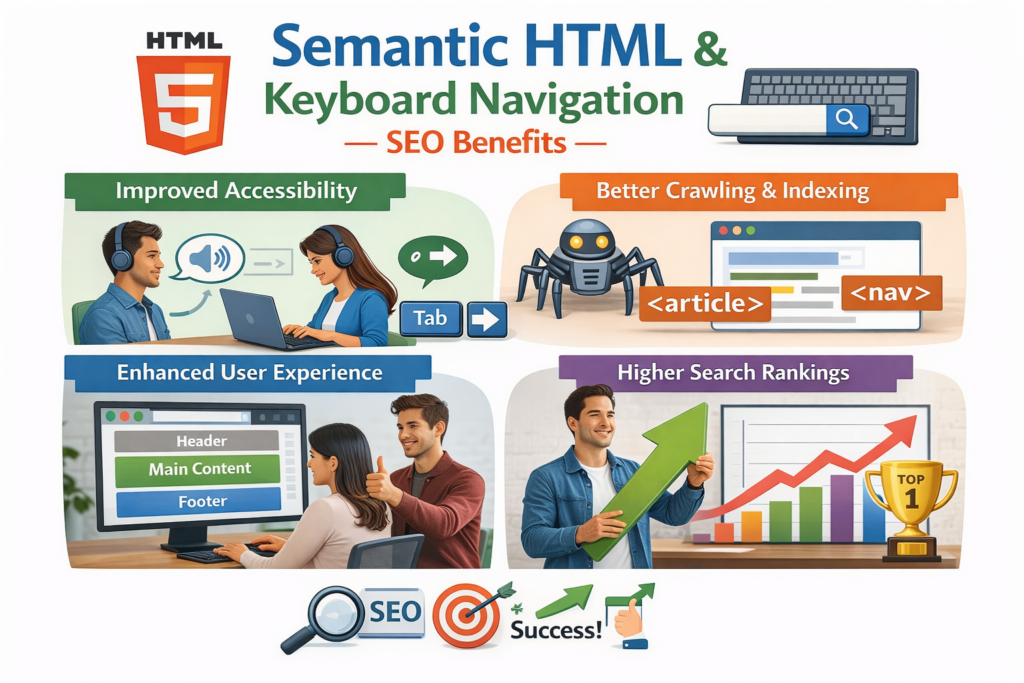
A practical roadmap often looks like this:
Baseline Audit and Quick Wins
Start with a scoped audit and identify your in-scope legal obligations. Then fix the barriers that affect critical journeys first.
Focus on.
Navigation
Forms
Sign-in flows
Checkout
High-traffic templates
Essential PDFs
Remediation and Workflow Changes
Next, move accessibility into the way your team already works.
That may include.
Updating design systems
Adding QA checkpoints
Improving content publishing rules
Reviewing third-party tools
Assigning accessibility ownership across teams
This is the stage where accessibility shifts from reactive cleanup to operational discipline.
Monitoring and Continuous Improvement
After the urgent fixes are complete, build a repeatable review cycle.
That usually means ongoing monitoring, periodic retesting, issue tracking, and clear rules for when internal teams can manage problems on their own versus when specialist support is needed.
In practice, this is what keeps web accessibility compliance sustainable.
Last Words
Web accessibility compliance works best when it becomes part of everyday digital delivery, not a last-minute fix. In 2026, organizations serving the US, UK, Germany, and the wider EU need a practical approach that combines WCAG-based improvements with the legal expectations of each market. When teams address barriers in forms, navigation, mobile journeys, and documents early, they reduce risk while also improving usability, search visibility, and overall trust across key customer touchpoints.
The most effective strategy is simple: audit current experiences, prioritize the highest-impact issues, and build accessibility into design, content, QA, and procurement workflows. That approach helps organizations move beyond reactive remediation and create digital products that are more inclusive, resilient, and commercially effective over time.( Click Here’s )
Key Takeaways
Web accessibility compliance in 2026 is not just about avoiding legal risk. It is about removing friction, improving digital quality, and building trust across every important user journey.
For most organizations, the right path is clear:
Use WCAG 2.2 as your technical baseline
Map that work to the laws and requirements in your markets
Audit your highest-risk journeys first
Fix forms, navigation, checkout, mobile interactions, and PDFs early
Build accessibility into design, content, QA, and procurement
For teams serving the US, UK, Germany, and the wider EU, this approach is the most practical way to reduce risk without slowing growth.
FAQs
Q : Does WCAG compliance guarantee legal accessibility compliance?
A : No. WCAG provides the technical benchmark, but legal accessibility compliance depends on the laws, jurisdictions, sector requirements, and procurement obligations that apply to your organization.
Q : How often should a website accessibility audit be done?
A : A baseline audit should happen before major launches and after meaningful changes to templates, checkout, CMS behavior, or app functionality. High-change websites often benefit from ongoing monitoring plus scheduled expert reviews.
Q : Are accessibility statements only relevant for public-sector websites?
A : Public-sector requirements are the clearest example, especially in the UK, but private organizations may still benefit from publishing an accessibility statement for transparency, procurement confidence, and complaint handling.
Q : What accessibility issues cause the biggest conversion problems on ecommerce sites?
A : The most common problems are inaccessible navigation, poor keyboard support, unlabeled form fields, unclear errors, inaccessible payment steps, and broken mobile or guest checkout experiences.
Q : How should multinational teams handle accessibility across apps, PDFs, and multilingual content?
A : Treat them as part of one accessibility program. Use a shared standard, test representative language versions, define vendor responsibilities clearly, and document the local legal overlays that apply in each market.